.png)
The strategy I am going to talk about isn’t meant for all businesses and industries.
I designed it specifically for B2B SaaS start-ups and scale-ups.
The best part about the strategy is that you don’t need to wait for months to get high-quality leads; it will give you results in short-term, like one of the clients I work with:
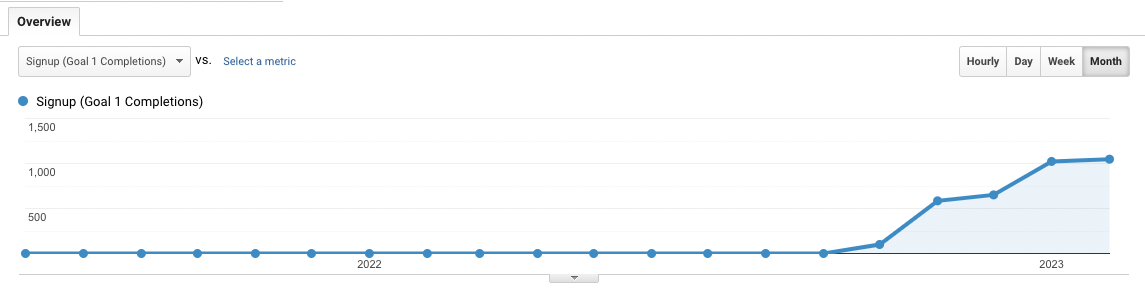
With my SEO strategy:
So if you want an SEO strategy that can get you 100 or even 1,000s of leads per month, you must indeed put all your eggs in this one basket 😉.
The thing about this approach to SEO is that it’s not ‘’just SEO’’ – my goal is not to simply optimize your website to load quickly, write a few articles and insert a few keywords here and there.
My goal is to help you generate leads and grow your business.
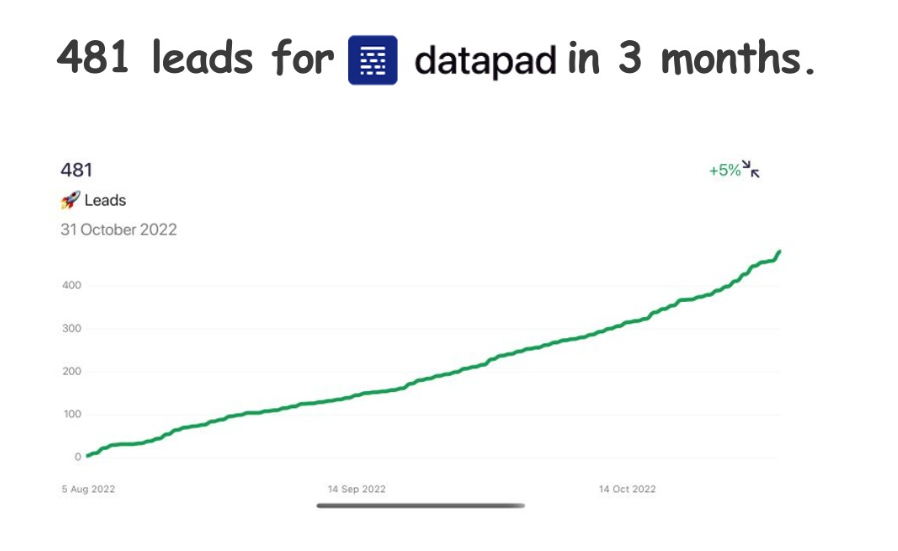
In fact, I have co-founded and grown my own B2B SaaS company (Datapad) and grew it from 0 to 500 leads from SEO in 3 months and from 0 to 25,000 organic traffic per month in 6 months.
I know you might be eager to know what GrowthQuake strategy is all about. So without wasting your time, let’s dive straight into it.
SaaS GrowthQuake is made up of 8 steps:
Step 1: Create Revenue Focused Content
Step 2: Build Mini Clusters Around Your Content
Step 3: Create Linkable Assets
Step 4: Run Google Ads on Revenue Focused Content
Step 5: Use Content Upgrades
Step 6: Build Topical Authority
Step 7: Optimize The Articles For Conversions
Step 8: De-Anonymize Website Visitors & Reach Out To Them
Let’s dive deep into these steps and learn how to implement them correctly: 👇
⚠️ Disclaimer: This is a comprehensive guide on how I approach SEO and content marketing (and I’m not holding back), so make sure you can dedicate at least 20 minutes of your time to digest the information I will share.
At any given moment, there are 3 types of people in the market:
What most SEOs do is target somewhat aware and most aware people and try selling them the product.
Why so?
90% of people fall in the most aware and somewhat aware categories, and so this lures SEOs into the temptation of getting high traffic, but that’s not wrong.
Let’s face it: targeting an unaware and partially aware audience, you’d get excellent traffic, there’s no doubt about it - something great to brag about at a cocktail party 🍸, sure!
But, for B2B SaaS companies, conversion is everything.
Even if you bring in 100,000 traffic monthly but have no conversions, it will be a waste of time and effort. And most SEOs focusing on somewhat aware and unaware categories end up getting fewer conversions in the long run.
💡 Pro Tip: If you want to get the best conversions, you have to target the ‘most aware’ people in your industry.
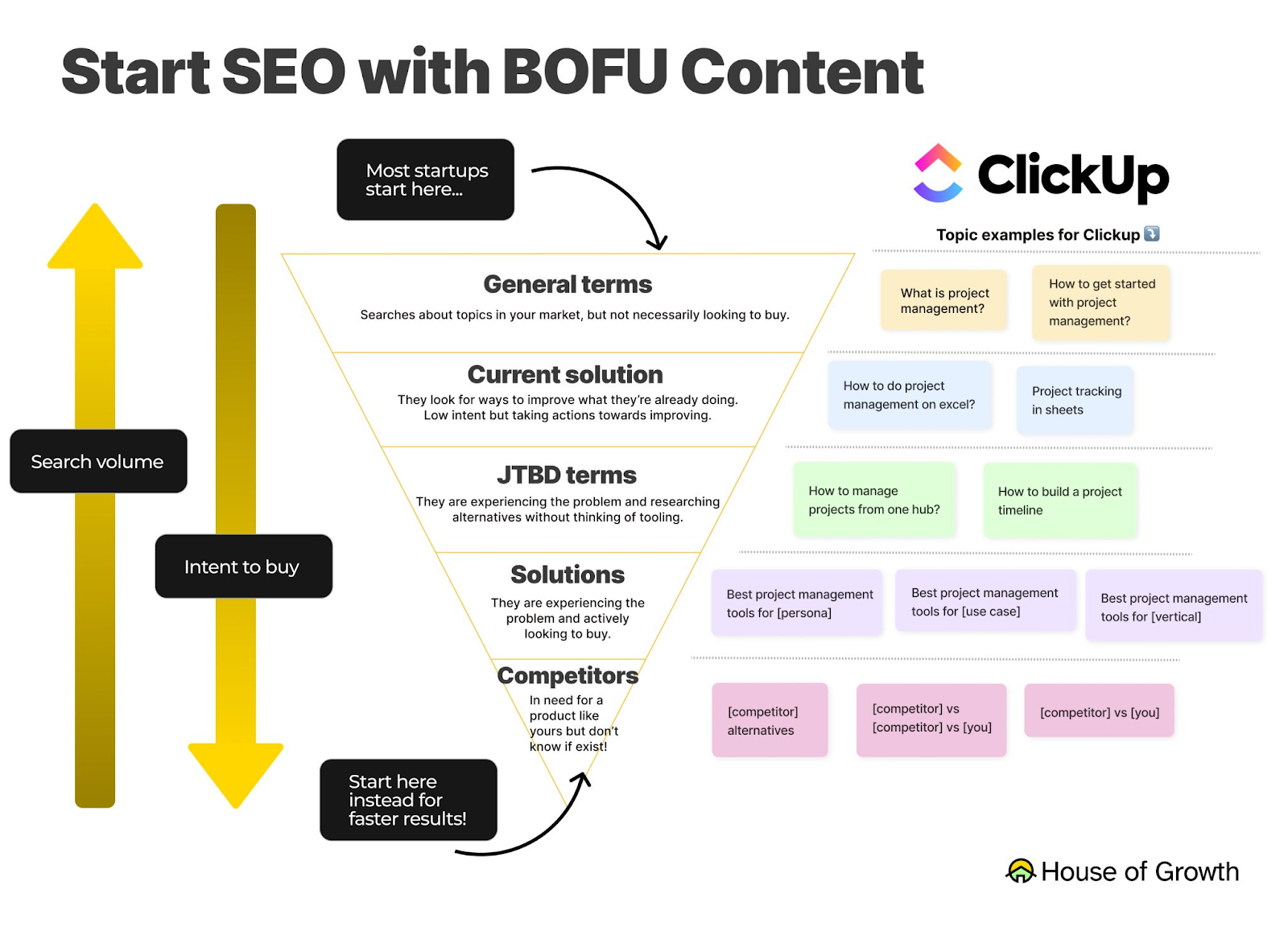
Focusing on prospects who know about their problems and are actively searching for a solution is the fastest way to make sales and get your conversion rates through the roof.
It’s true that you will only be targeting 10% of your total market size – but the possibility of them buying from you will be extremely high.
This process has helped me get great results for my clients, see for yourself: 👇
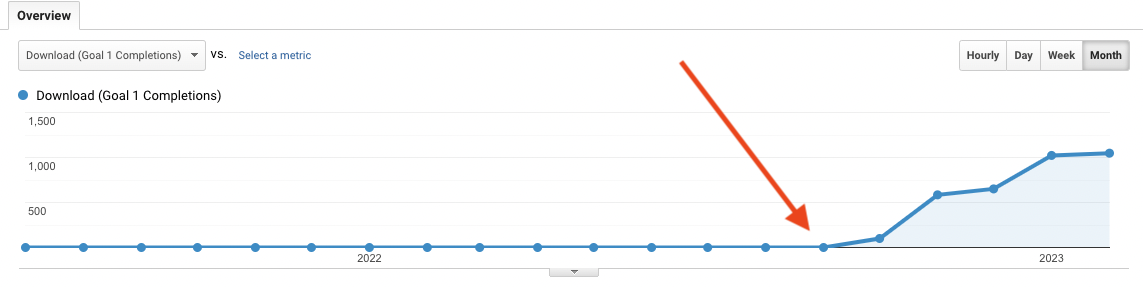
The red arrow is the time when I started with this strategy.
It’s a no-brainer that people actively looking for a solution on Google have commercial intent.
So writing around commercial intent keywords is the best way to convert your visitors into buyers.
➡️ Starting from such bottom-of-the-funnel (BOFU) content will help you get results much faster, giving you the confidence to continue investing in SEO.
But what are these commercial intent keywords?
There are three classes of keywords that make the best type of commercial keywords:
Let’s get to know them individually: 👇
Writing about these keywords will help you target people who are searching for a product or service like yours.
I create a lot of listicles, especially for early-stage start-ups, as it leads to immediate conversions.
For a B2B SaaS company, some ‘best of’ product listicle keywords can be:
What’s more, you can also combine the above-mentioned keyword types and create more listicles:
And so on…
For example, I am looking at Trello - a popular task management software.
Check out their team category and use cases they have in their menu: 👇

Just from this menu, we can have 6 x 3 = 18 commercial intent keywords, such as:
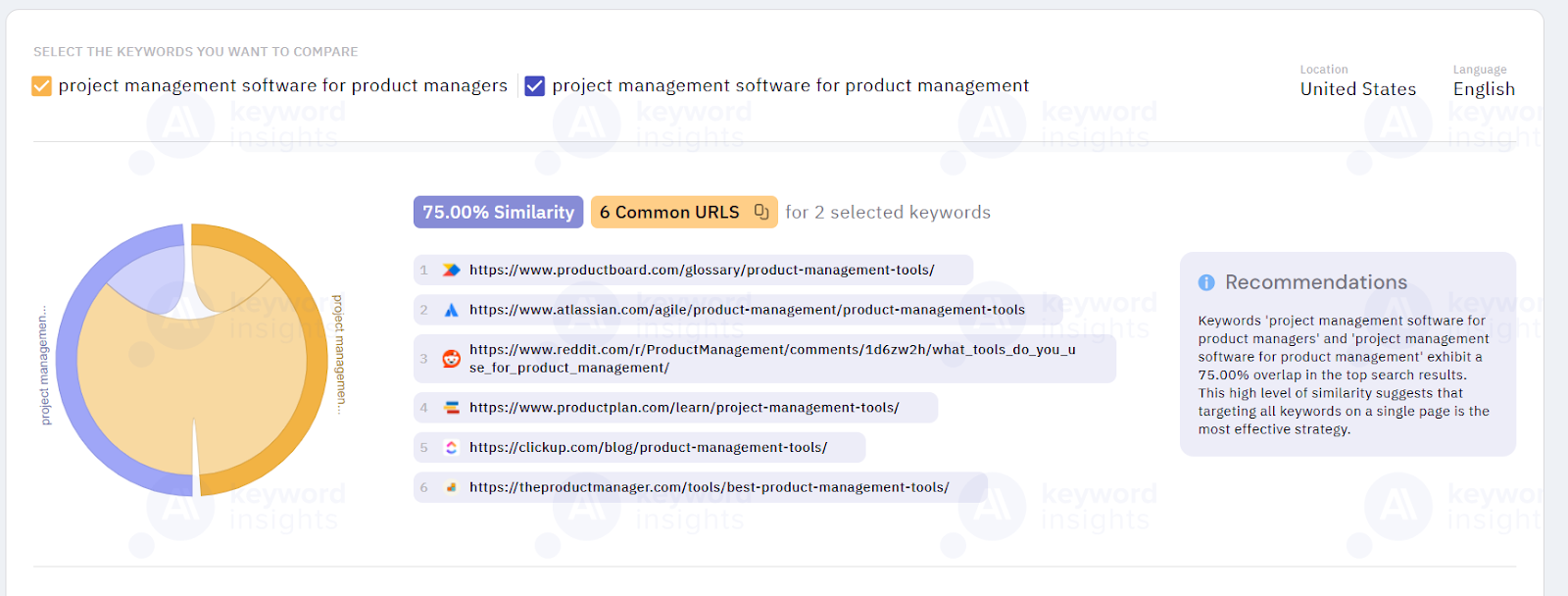
💡 Note: Before creating an article, make sure that you check the SERPs to see if the 2 keywords return the same results – that means you will need to create only 1 guide so as not to cannibalize the other one.
For example, ‘’project management tools for product managers’’ returns the same results as ‘’project management tools for product management.’’
To check that with certainty, I prefer using Keyword Insights’ SERP similarity feature (it’s free for up to 5 searches) that tells me the URL overlap for 2 similar keywords.
Alright, back to keyword research: You can use SEO tools like Semrush or Ahrefs to find commercial intent keywords, but that’s not the only way.
One of the easiest ways to come up with a list of commercial keywords is by using Google autocomplete like this:

💡 Pro Tip: Use Google autocomplete often, as it’s one of the most accurate SEO tools since it uses Google’s data to sort the list by keyword popularity.
Here’s a quick hack to use Autocomplete the right way.
Type in your seed keyword, for example, project management (add a keyword modifier if needed).
Next, start typing a, b, c, and so on to get autocomplete’s suggestion and to cover every keyword you can potentially create a page on.

After you have a list that you have, by putting in all the alphabets, go through it and shorten it to only the relevant keywords for your business.
This might be a little exhausting and isn’t a perfect strategy a content market would use. But if you don’t have resources, this is a great method for you.
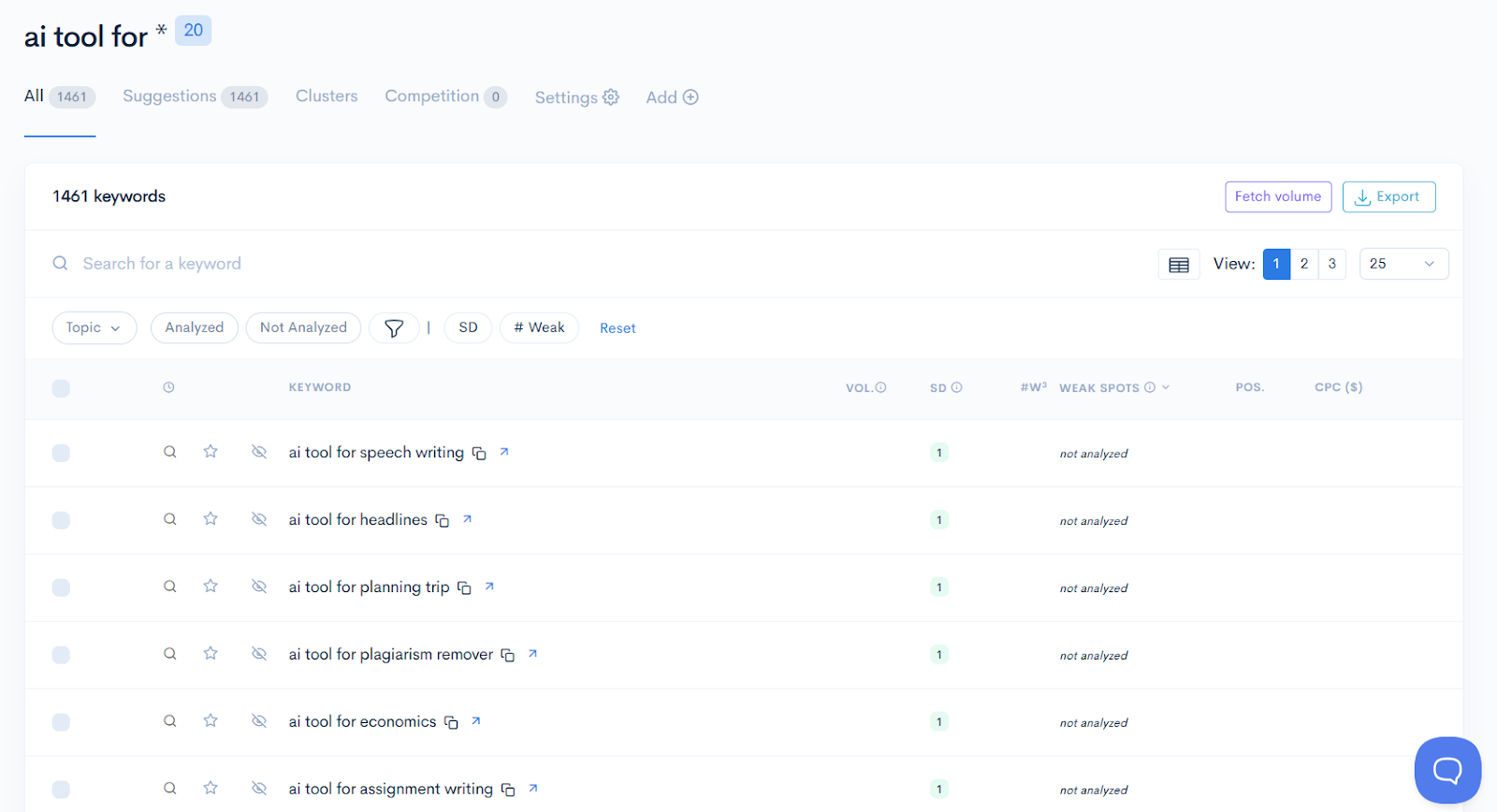
💡 Keyword Research Hack: If your product can be used across multiple use cases, you can use LowFruits’ Keyword Finder.
If you go to the Keyword Finder, you can type in ‘’ai tool for *’’ and the platform will find you every variation of ‘’ai tool for X’’ use case, solution, or industry.

I used that when I was working for a client in the generative AI industry, where their product could be used for many use cases.
The platform generated 1,461 keyword ideas, out of which I filtered down to ~200 from the ones the product would be best positioned around: 👇
Competitor comparison has two types of keywords:
Now, if I am working for a well-reputed brand in B2B SaaS like ClickUp or Trello, I’d go with 2-way comparisons:
But what if you are an early-stage start-up in the project management industry, and no one knows about you?
Do you think people would be searching for you or your product from day 1?
No, they wouldn’t.
That’s where 3-way comparisons come into the picture.
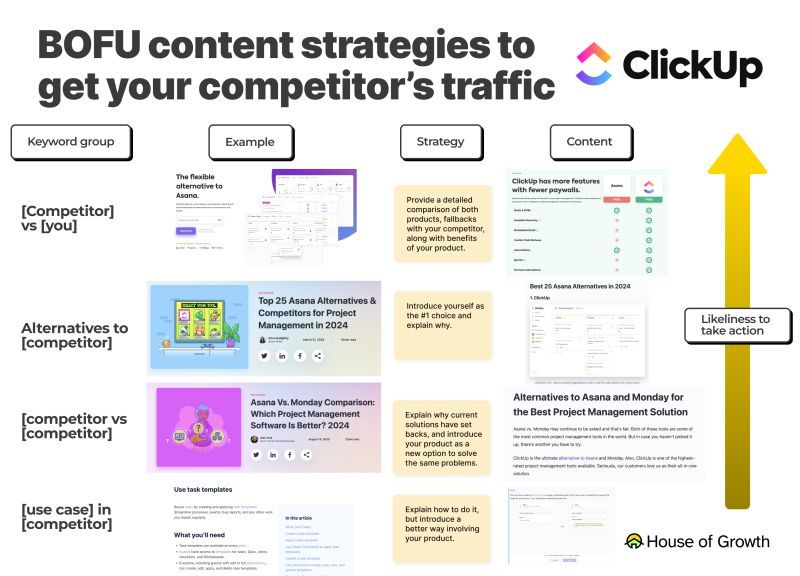
The strategy is that you compare your software to the other two competitors and compare your SaaS features with the other two, persuading users to take a free trial.
Many of my 3-way comparisons have ranked on top of Google and have converted visitors who were not even searching for my client’s product in the first place.
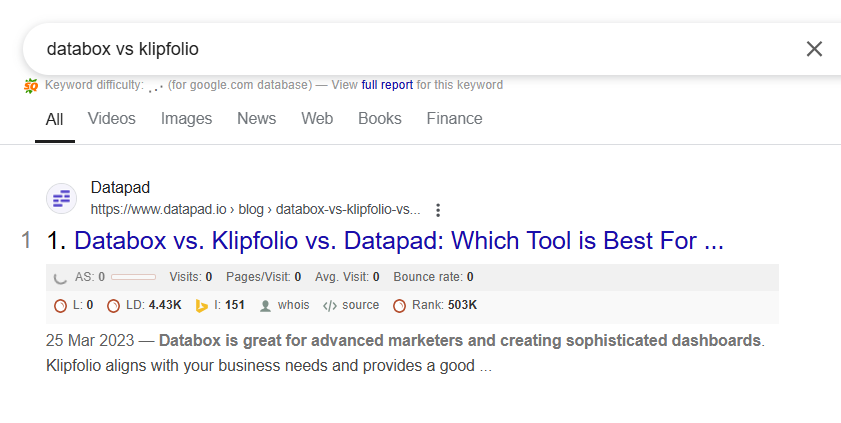
And here’s a more recent example:

Alternative-type articles are one of the best listicles you could rank for and sell your product.
You simply have to search for your product’s competitors available in the market and write a listicle of the top alternatives for it.
Let’s take the same example we previously did.
Suppose you’ve built a brand new product in the project management niche, so the alternative type keywords could be:
And so on…
But simply writing ‘’ClickUp alternatives’’ and generating endless leads is not that easy:
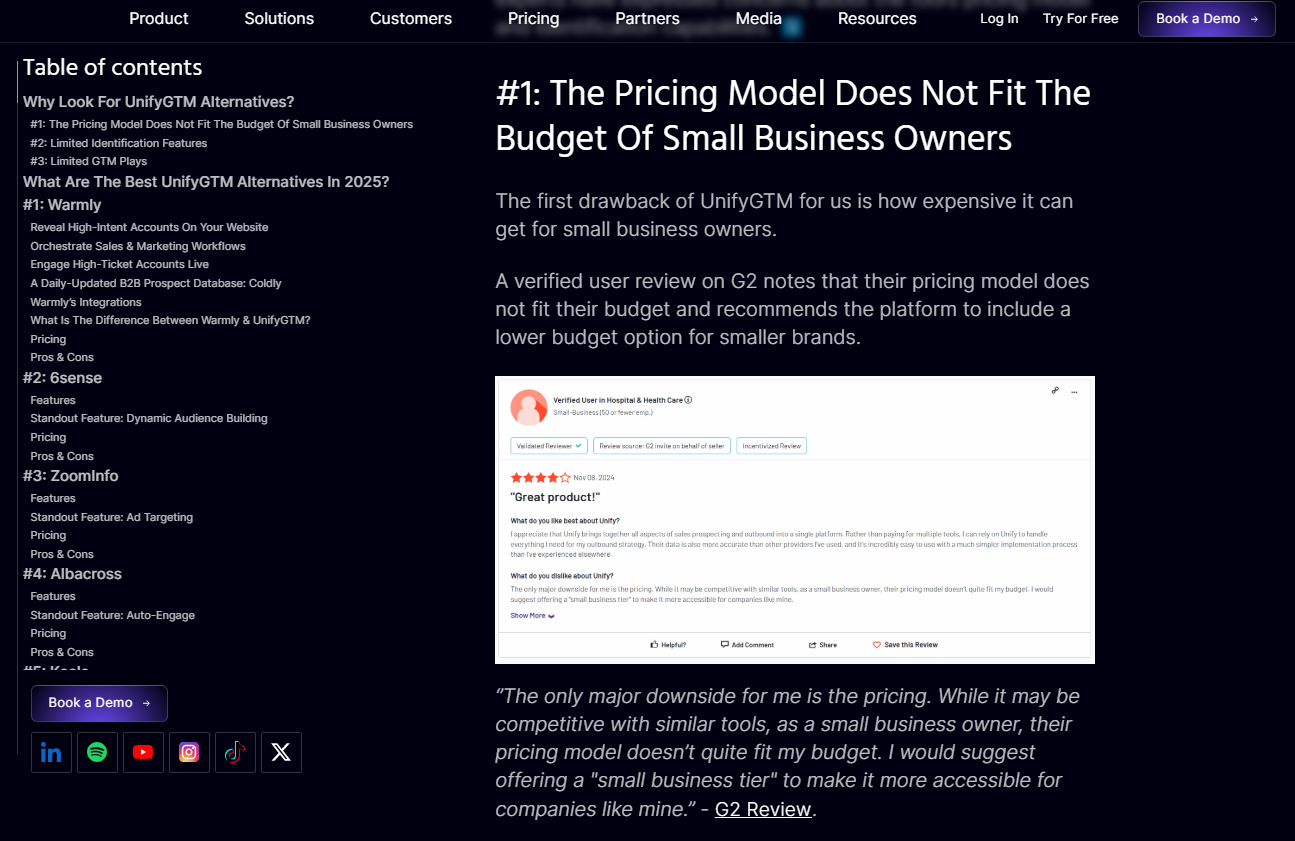
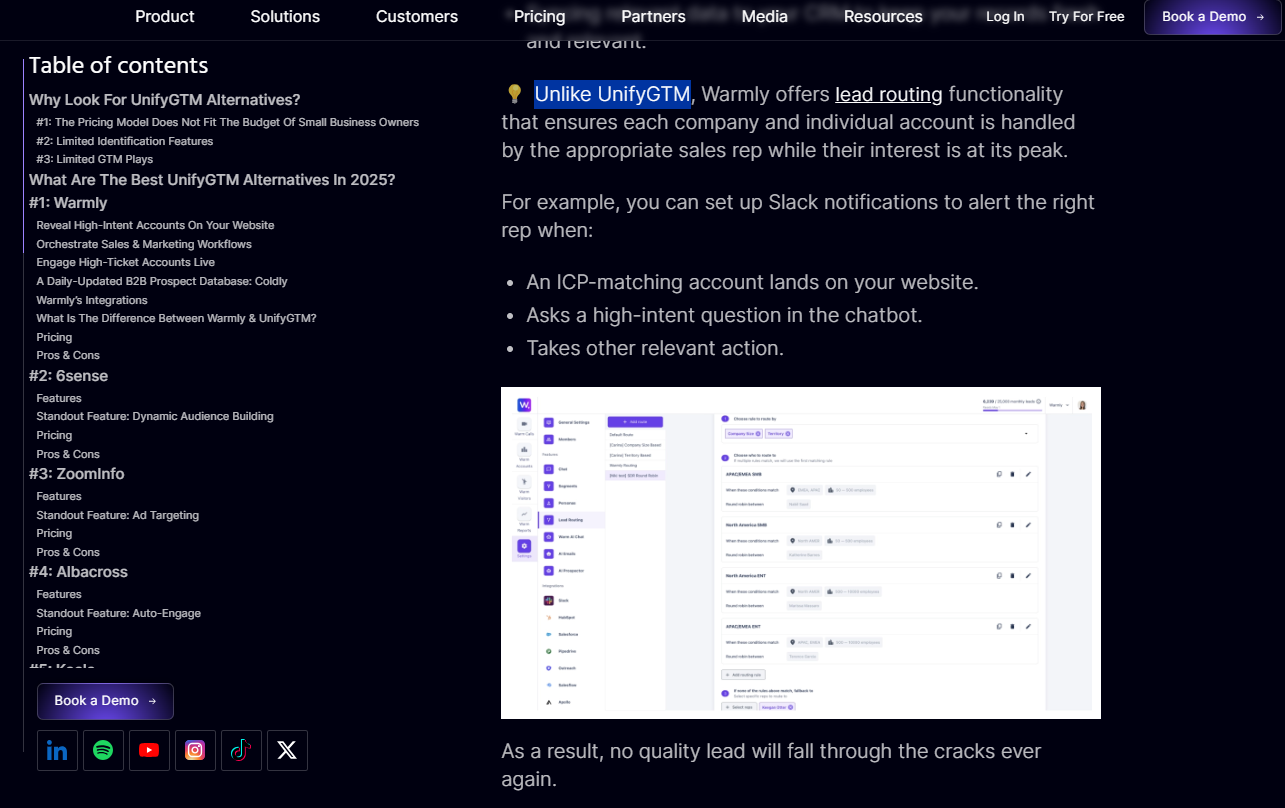

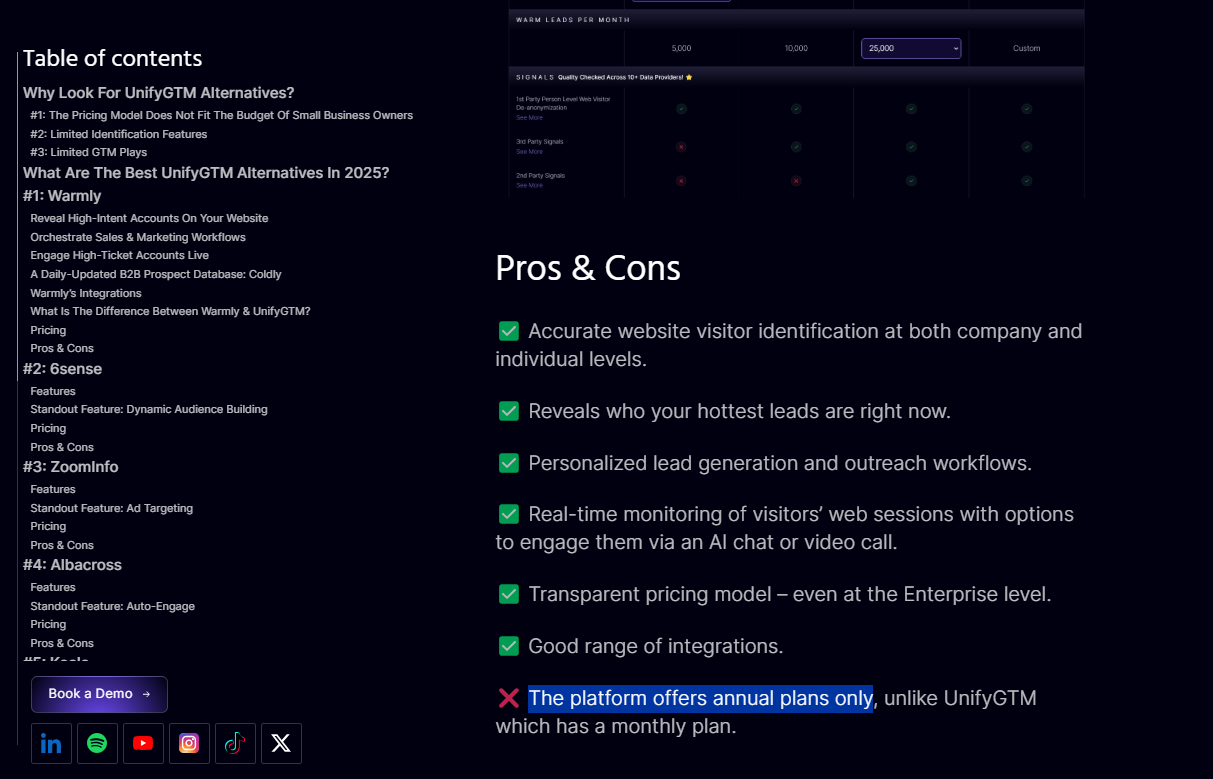
💡 Steal my commercial intent keywords templates and create content that converts.
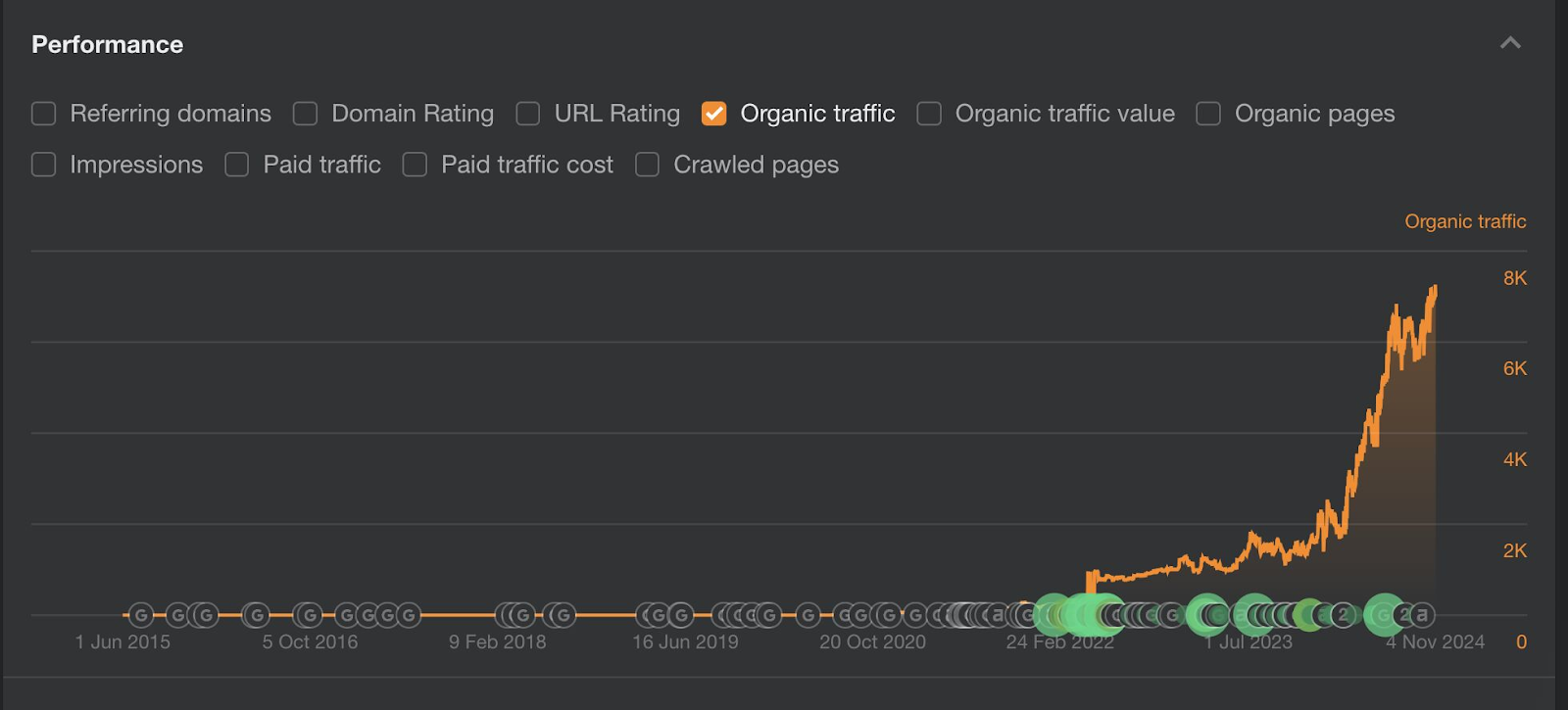
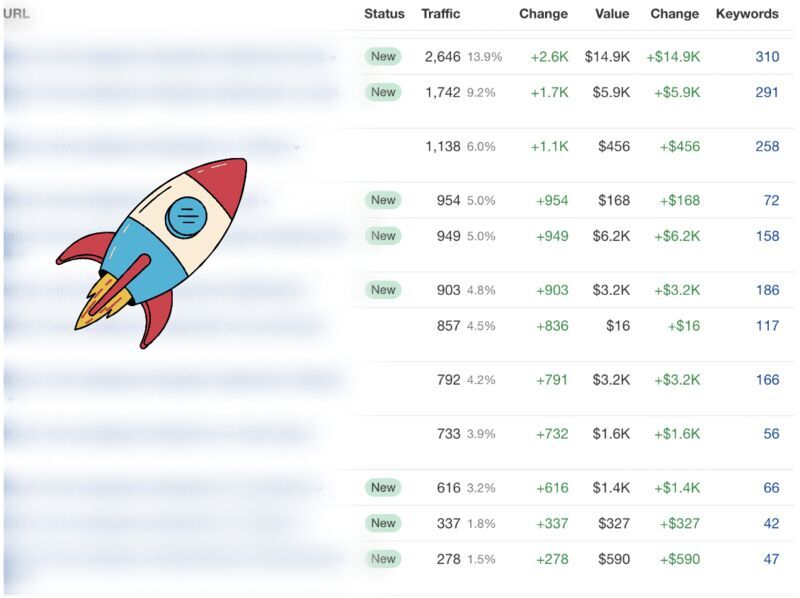
It is by producing genuinely informative, non-AI, non-biased content for my clients that they are able to get results like this in a year or under:
There are a few bottom-of-the-funnel article formats that I’d like to share with you that I’ve seen work well with my clients.
The reason why they work is because they are not very intuitive – which is why there is less competition around them.
These include:
Example: ‘’UnifyGTM Pricing: Is It Worth It in 2025?’’
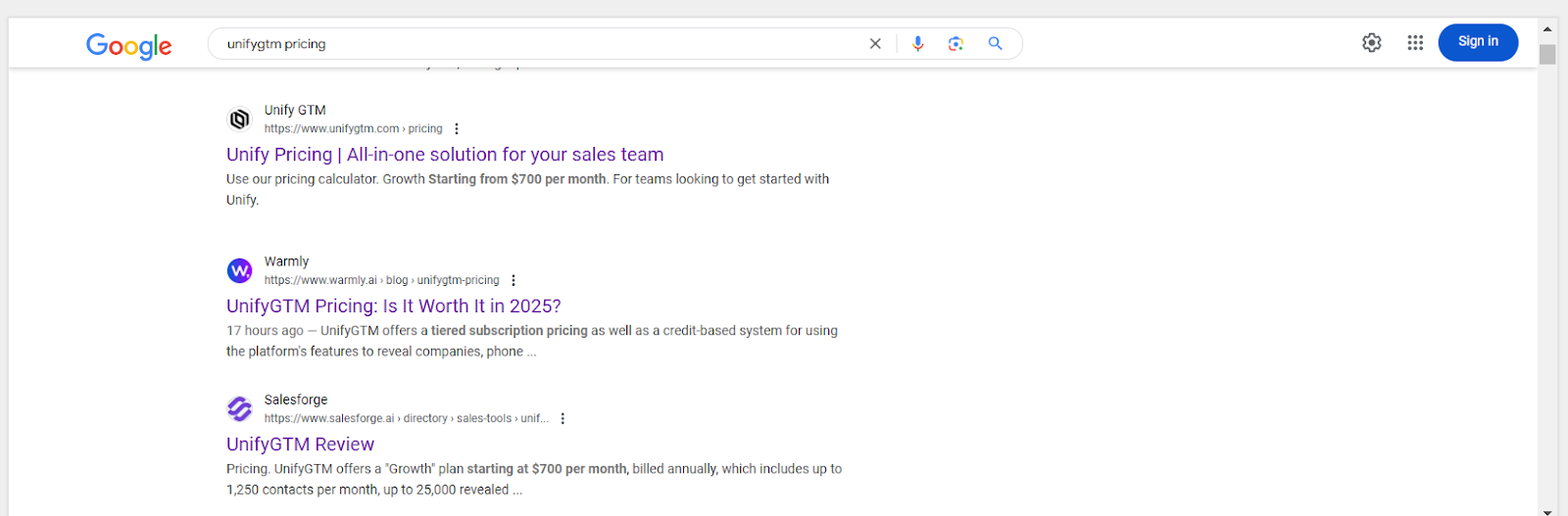
That’s me in position 2 right there – ranking on position 2 within 17 hours :)
Example: ‘’Apollo.io Review: Is It Reliable For Lead Generation In 2025?’’
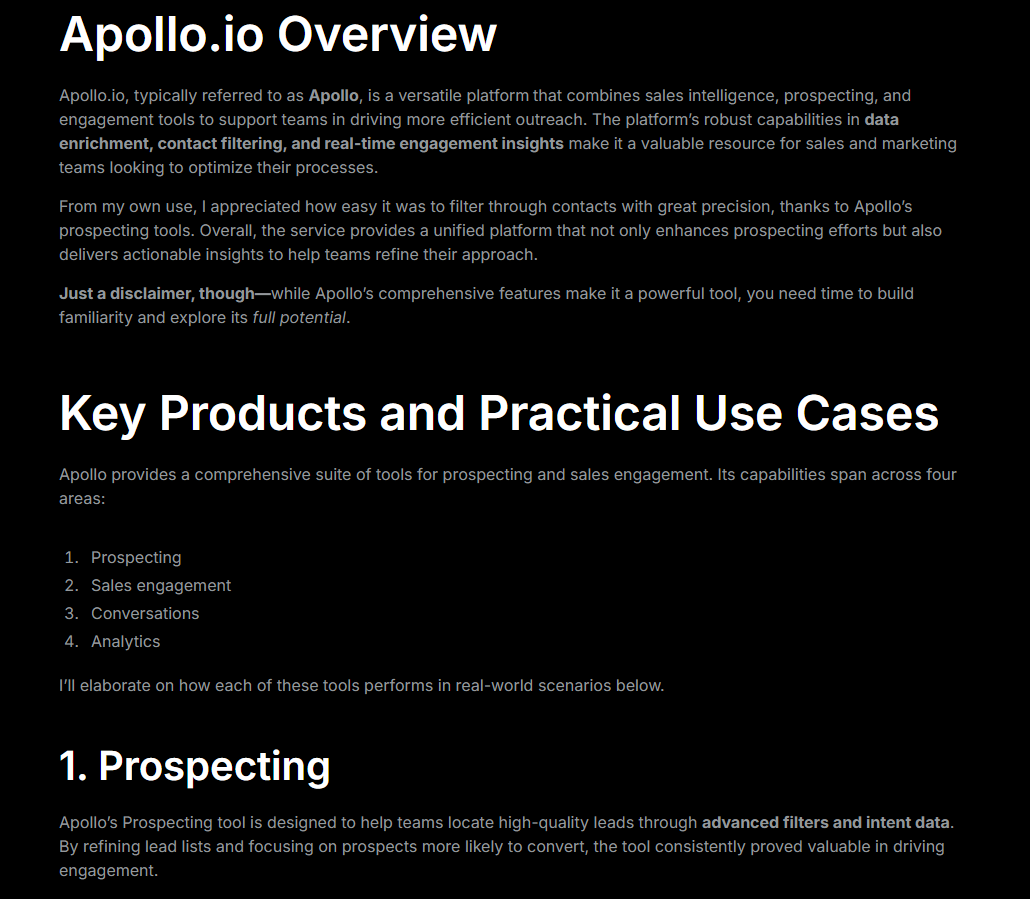
➡️ I don’t know if you noticed, but I’m also giving you my battle-tested title formulas as well. 😀
Example: ‘’How to embed Tables and Charts In Notion?’’
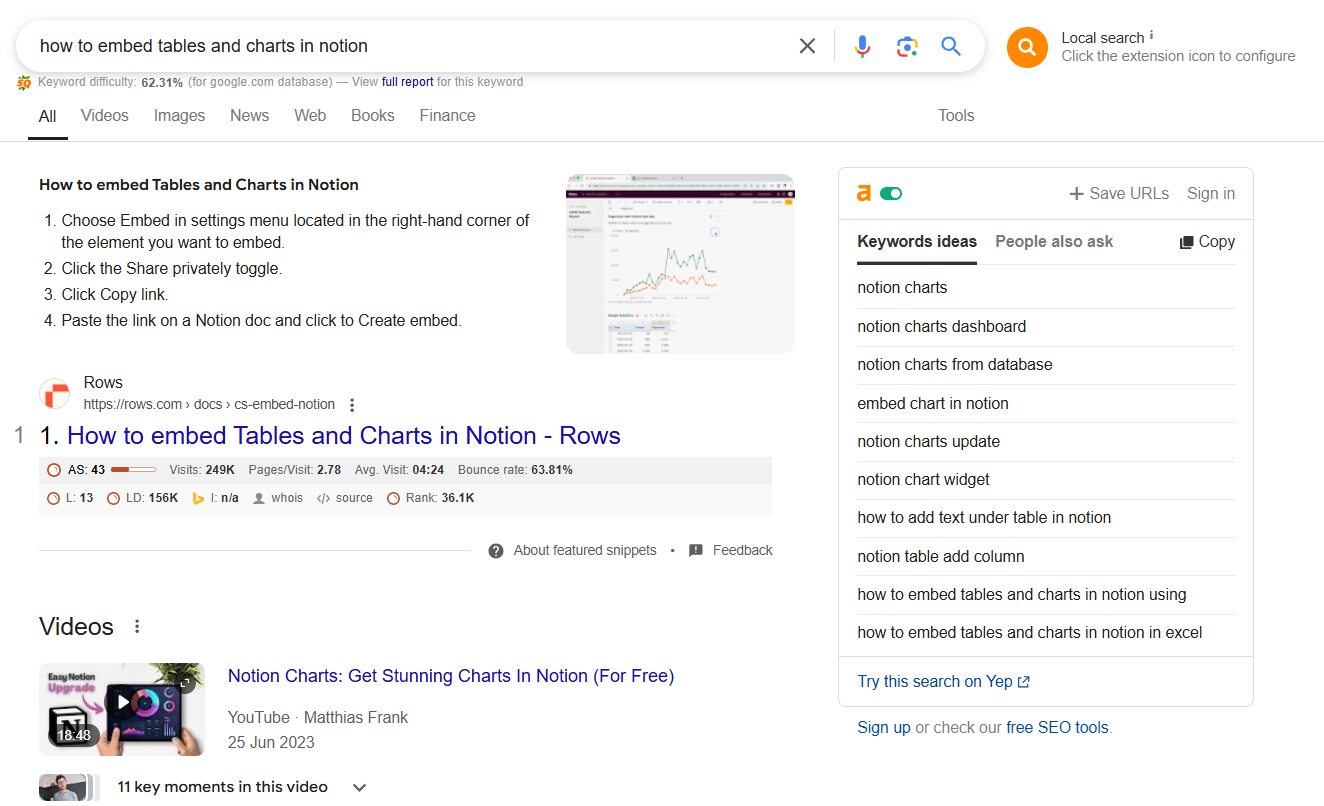
Ranking on position #1 for a JBTD competitor keyword. 😬
➡️ You can show your readers how to efficiently cancel their subscriptions while introducing your product as a smart alternative.
Example: ‘’How To Cancel ChatGPT Subscription In 2025.’’
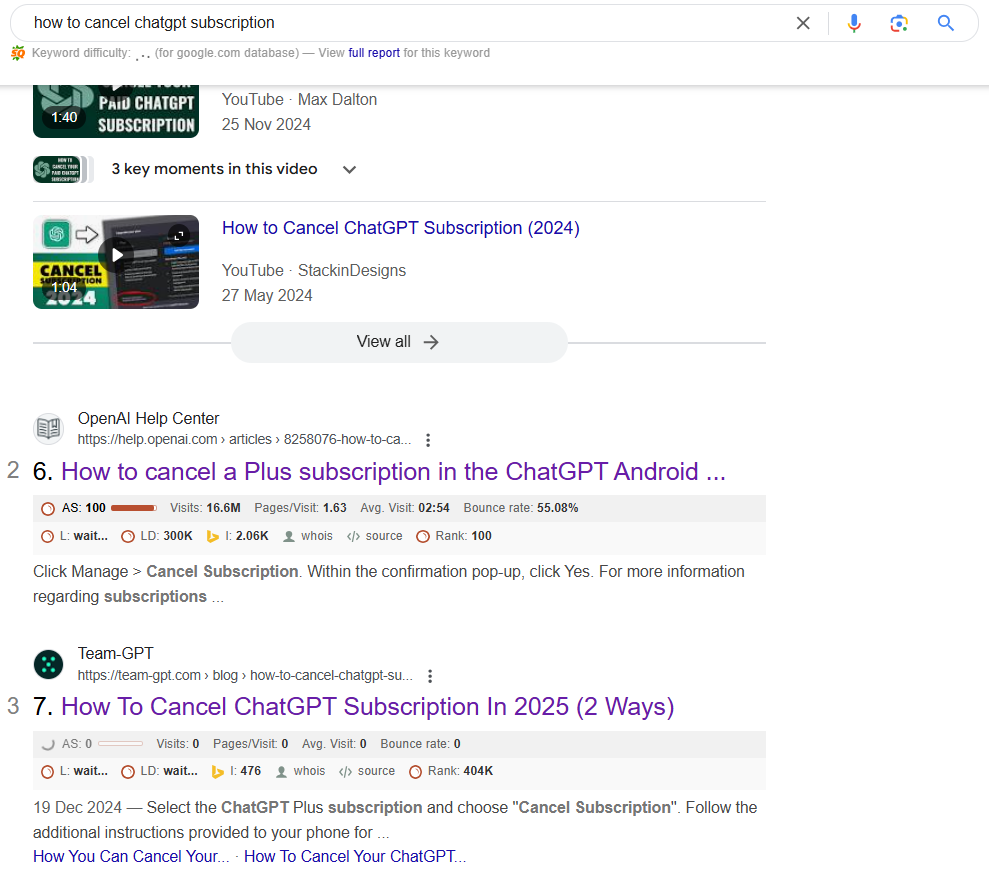
Here I rank position 3 for cancelling ChatGPT subscription – being outranked only by OpenAI themselves. I even outranked Reddit for that keyword, which seems to be a big deal in 2025.
Example: ‘’Free Mutual Action Plan Template for Onboarding New Clients In 2025.’’
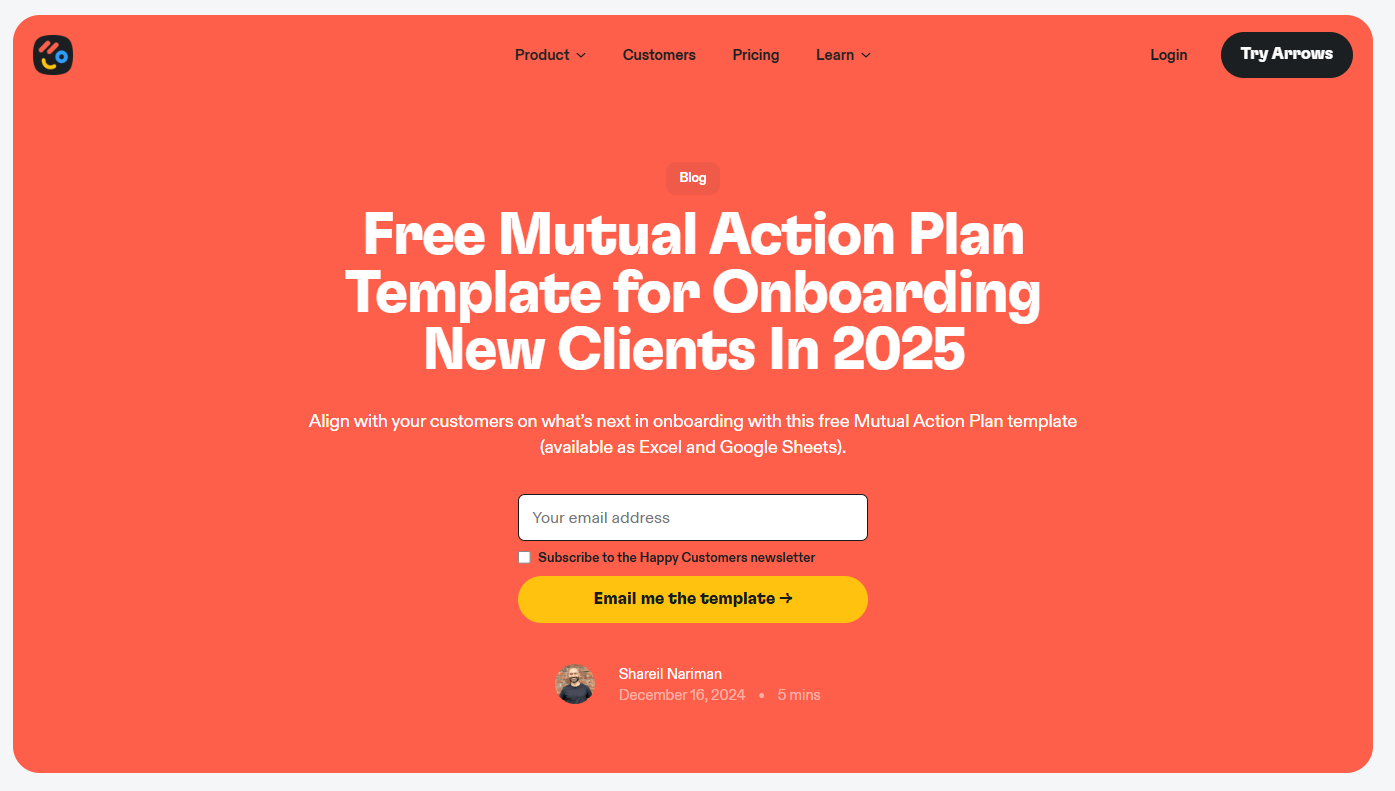
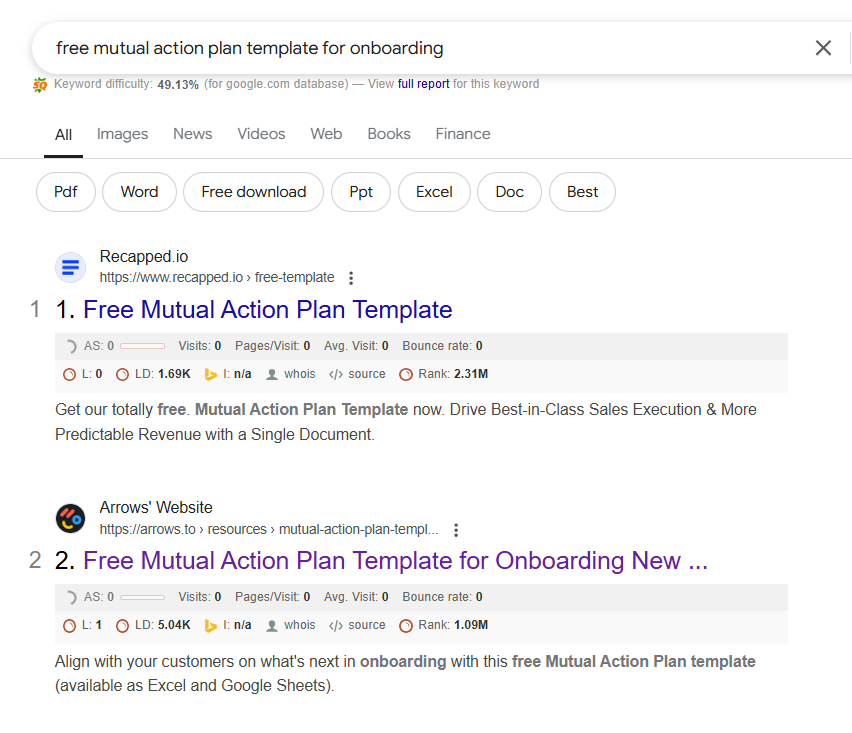
By combining regular bottom-of-the-funnel content with under-utilized content formats, such as pricing reviews and templates, I’m able to print leads for my clients while our competitors are figuring out their next ‘’what is project management’’ type top-of-the-funnel guide.
For any B2B SaaS company, mini clusters are blog posts that support your revenue-focused article.
What are your revenue-focused articles?
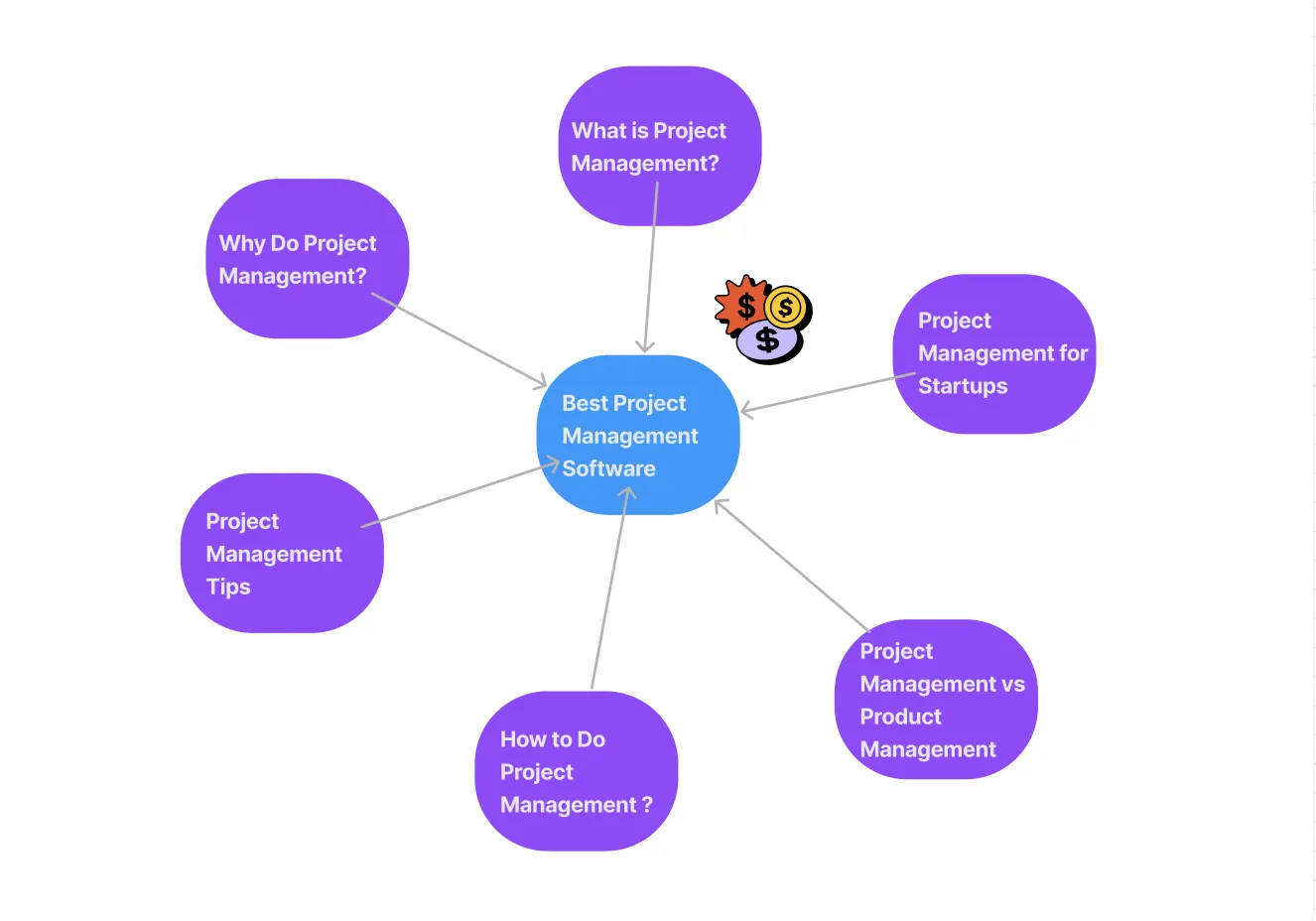
These are the ‘best for’ listicles, competitor comparisons, and alternatives-type articles.
So if you don’t have much of a content background and are new to SEO, get this, articles on commercial intent keywords are often boring (yes, you read it right, boring - but boring doesn’t mean it won’t convert) and not many people would like to link to them and get your rankings up.
So what you need to do is create mini clusters of “not-so-boring” content around these boring blogs, interlink all of them, and create a link juice that will boost the ranking for your money pages.
For example, suppose I am writing about ClickUp alternatives. In that case, I will also create several informational intent blogs about project management and internally link these pages back to the alternative page to boost its ranking.
Remember this - building mini clusters isn’t just for ranking purposes. With the help of clusters, you can walk your prospects through your money pages and convert them into buyers.
Let’s now discuss how you can build mini clusters around your money pages. I am using Ahrefs for this step-by-step guide.
Everything starts with Google! So open Google and type the keyword you want to build your mini cluster around. In this case, I’m building a cluster around my blog on ‘project management software.’
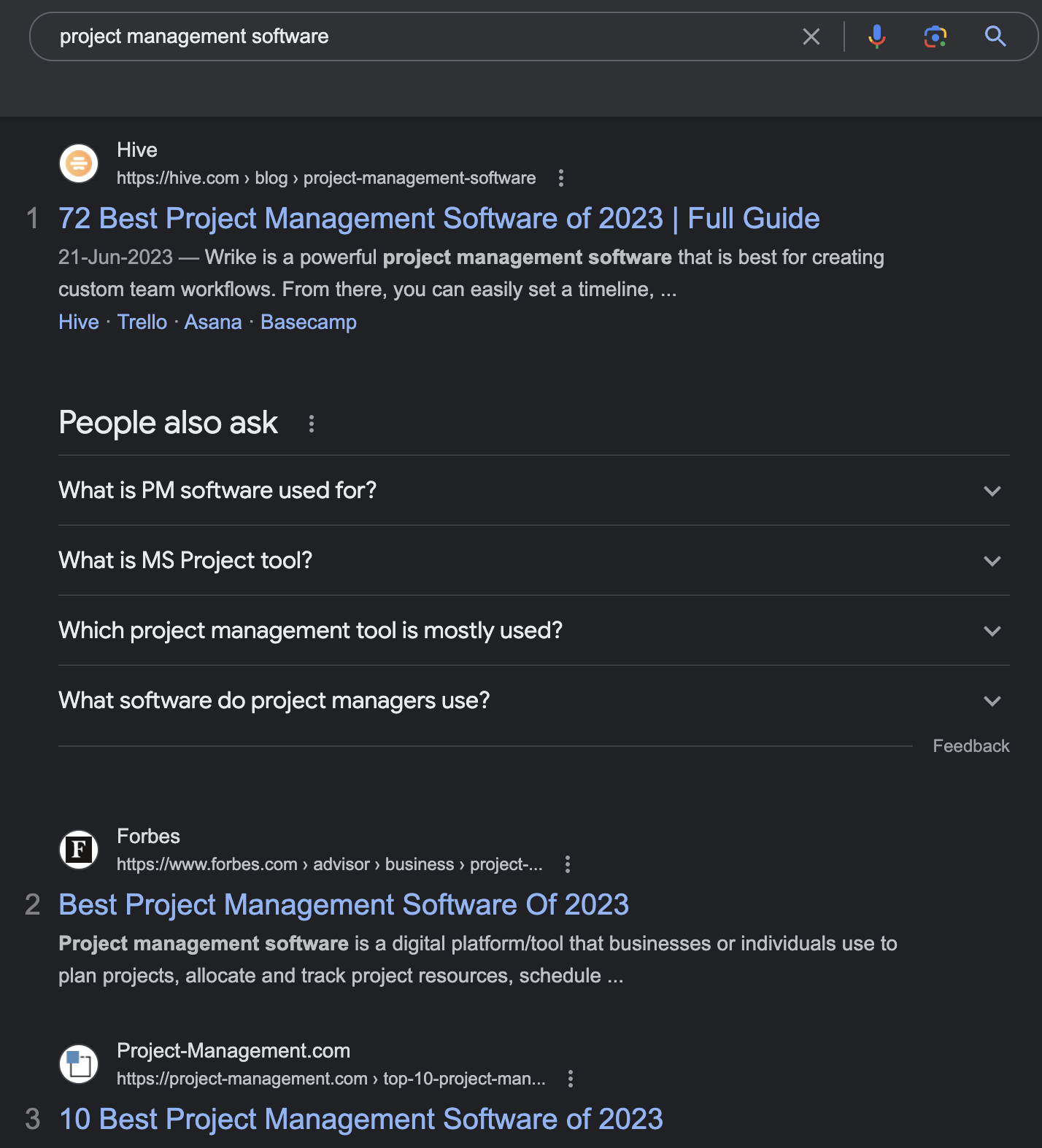
Next, look at the top 3 or 5 results and paste the link into Ahrefs one by one.
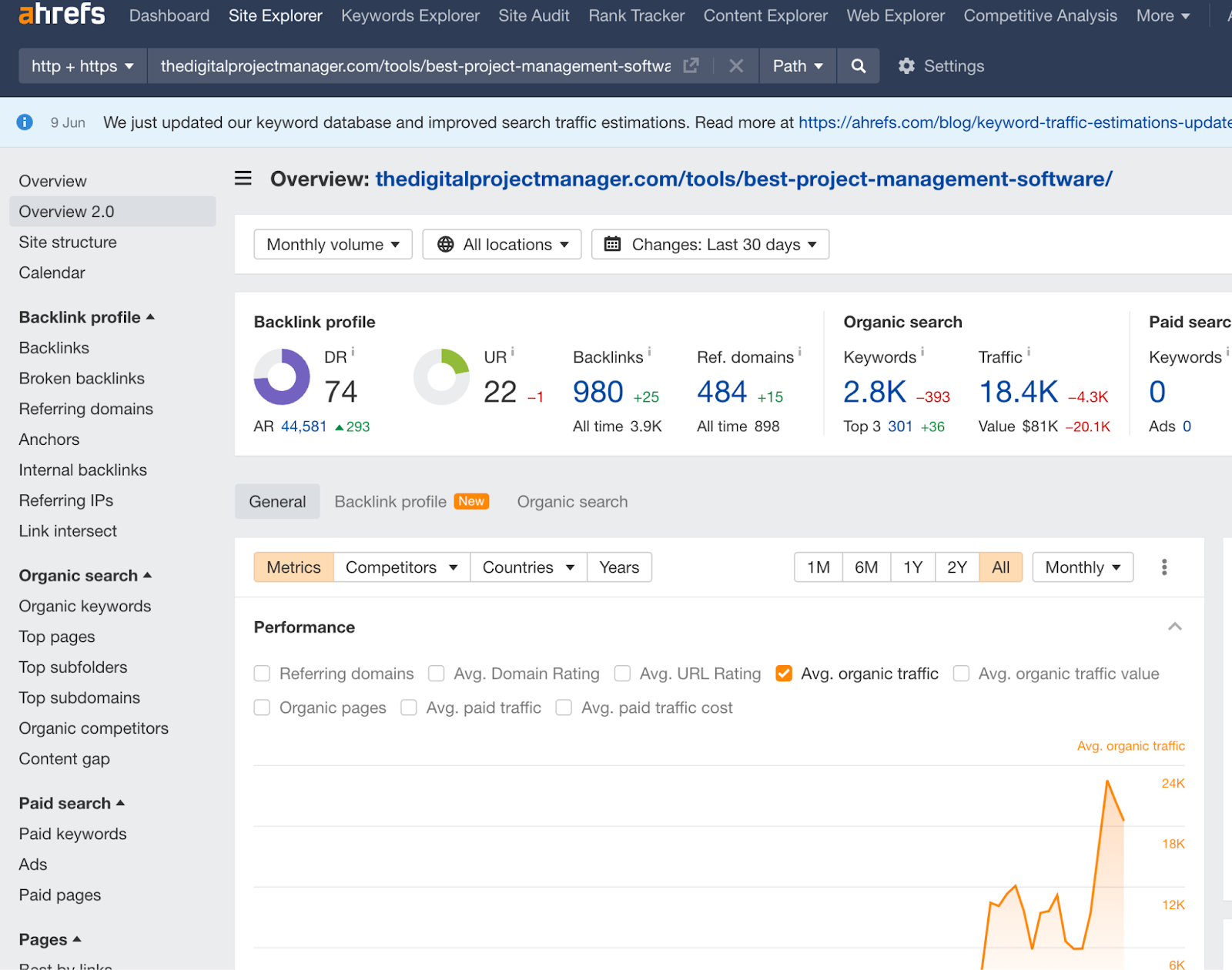
Click on the ‘Internal backlinks’ button from the left side menu.
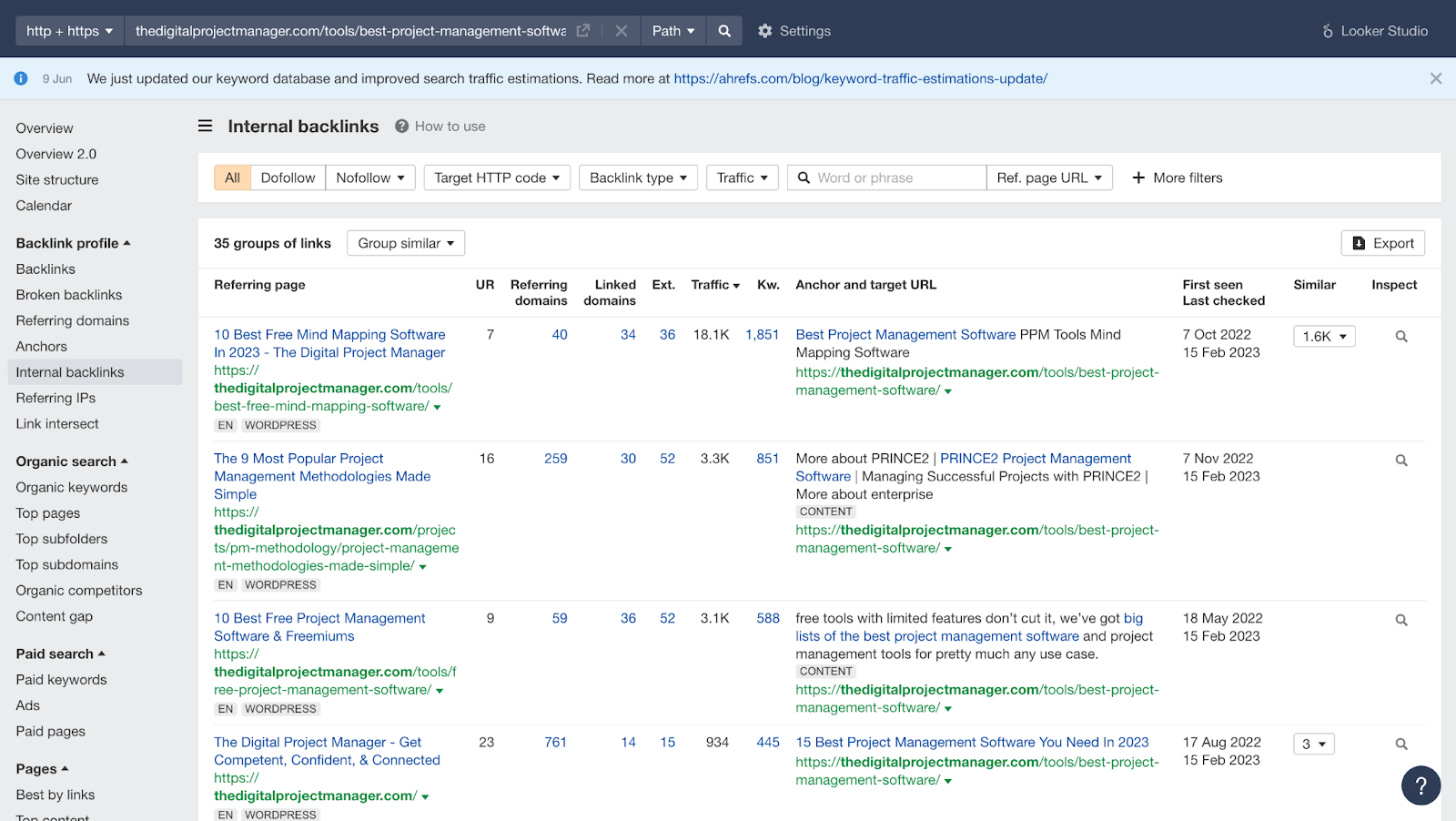
This page will show you all the internal pages that are linking to Hive’s money page on project management software.
You see, there are 97 links to this page just internally. So this should give you an idea about how your competitors are building mini clusters around money pages.
Do not just hijack all their keywords, but take inspiration and do your own research to make a cluster of highly relevant keywords.
Repeat this for 3 to 5 competitor pages, and you’ll know how to do it the right way!
Now this was just one mini cluster you created, think of the effectiveness of this strategy when you do it for 50 blogs. 🤯
💡 It’ll also be important to find out which keywords deserve a page of their own, and which ones are intended to be included in the pillar page.
You can watch this guide on doing competitor analysis and then dissecting their ranking keywords to see which articles you can write to support your mini clusters:
📽️ Video: Content Fragmentation: How To Study Your Competitors’ Rankings & Then Dissect Their Ranking Keywords.
Creating linkable assets is one of the most important strategies to boost your website’s domain rating (DR).
It’s no secret that there’s a correlation between the amount of traffic a website gets and the referring domains it has.
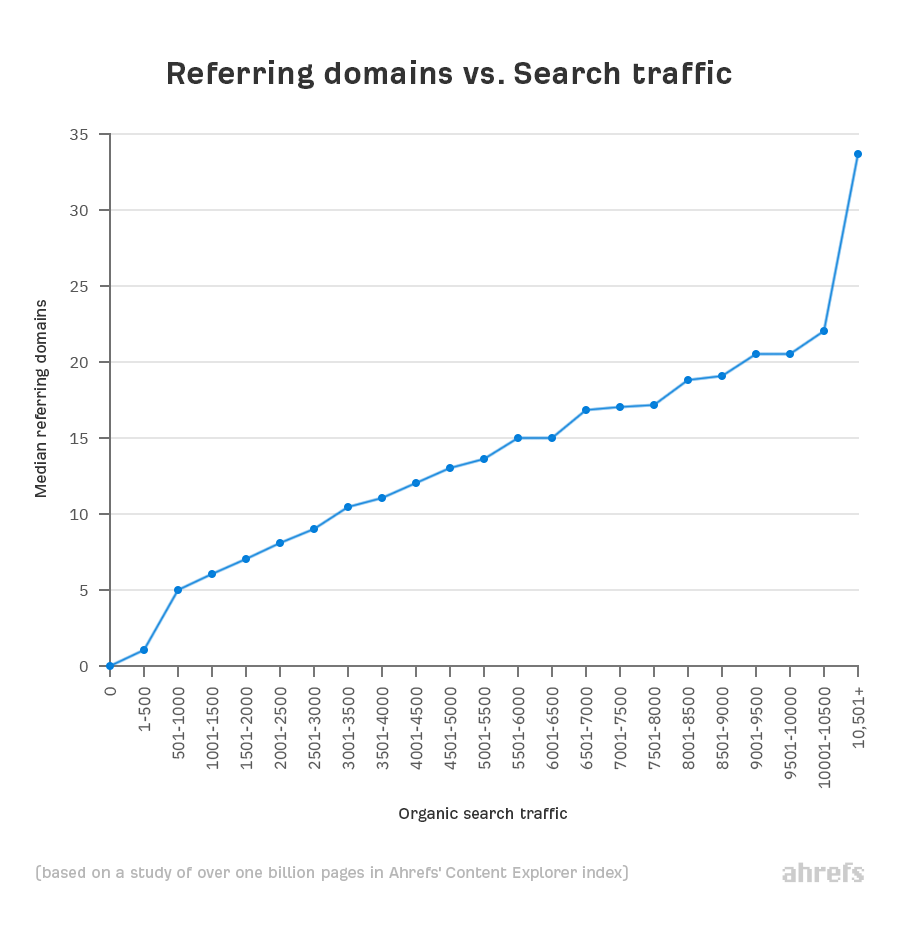
What most marketers do is go after high volume and extremely difficult keywords and expect to rank in a week or two for it. That’s possible but will take ages. It’s similar to buying a Rolls Royce when you have a decent salary, you’d have to save for a long long time and then buy one.
If you’re in the email marketing niche and want to rank for the keyword - email marketing, you have to dethrone sites that are a decade old. See for yourself:
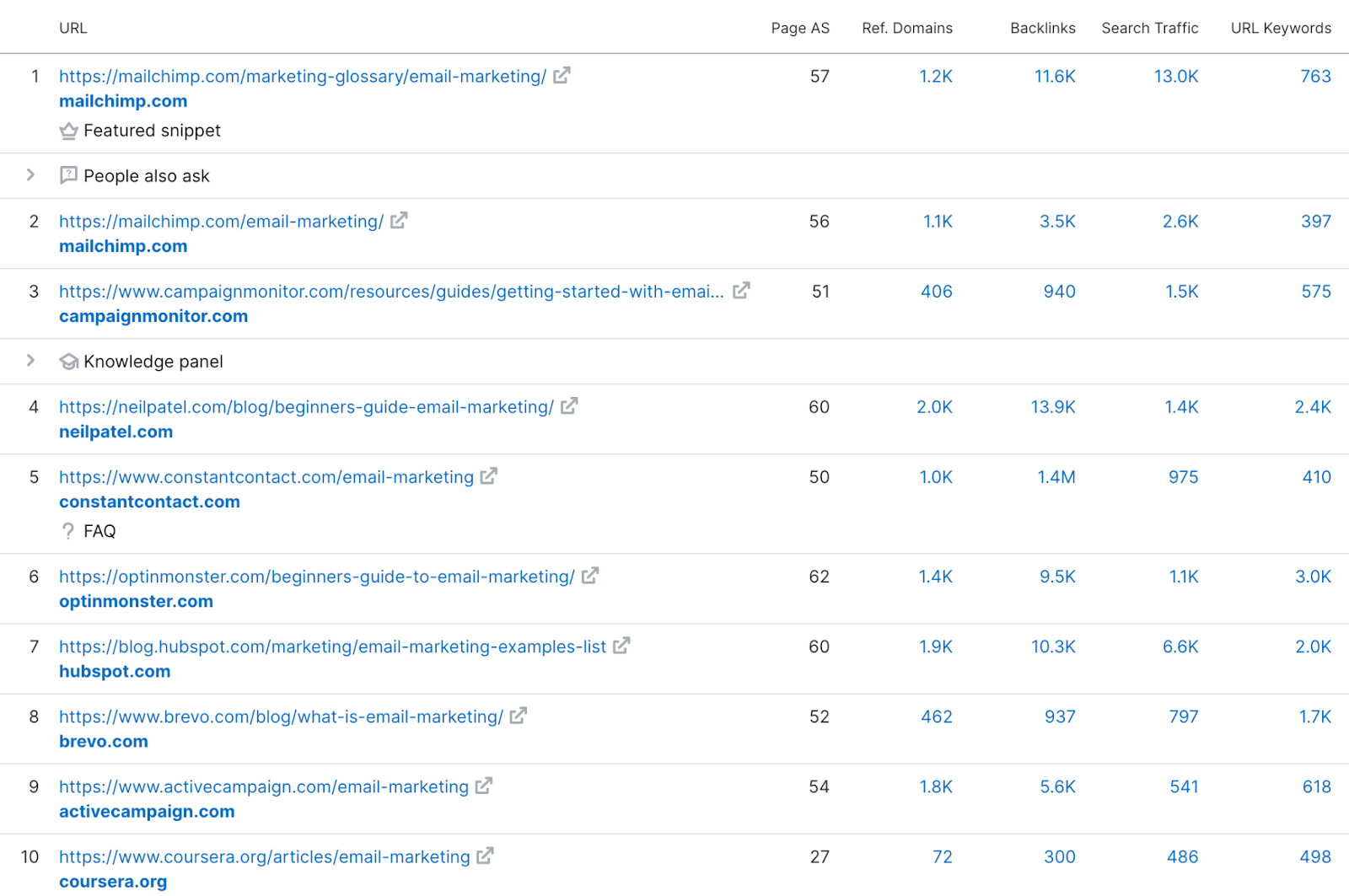
Look at the authority score (AS) and the number of backlinks every webpage has. A new website, even with a good amount of blogs on it, might have an AS of between 0-10 in Semrush.
Let’s face it; ranking in the top 3 of SERP for such highly competitive keywords is almost impossible.
There are two ways you to rank for such highly competitive keywords:
Both these methods help in increasing your website’s DR is one of the best investments you can make, as it will help you increase the number of keywords you rank for.
I will dedicate a different section discussing topical authority so we can focus on backlink building here.
We need to find a method to increase our DR in an affordable way.
You can increase DR manually with backlinks, but the process is expensive, slow, and unscalable.
So let’s think this through - what do you need to get a higher DR? Backlinks! Okay, and what are the methods to acquire high-quality backlinks?
Most content marketing agencies and link builders only know and follow #1 and #2, asking you for hundreds of dollars just to get you one link. And it’s also not acceptable to buy backlinks according to Google’s terms and services.
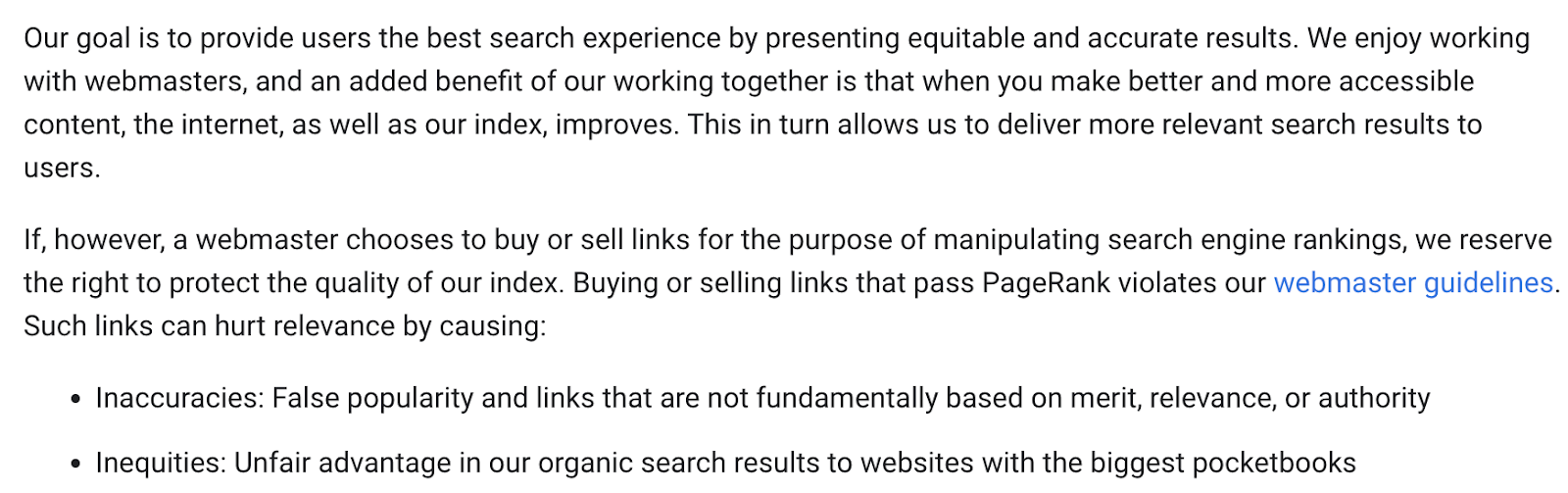
If you aren’t extremely careful, every link you buy might harm your website’s DA.
Your best bet is to build links passively via the #3 method in the list - Earn them!
The best way to earn backlinks is by creating linkable assets.
Linkable assets are content pieces you create for people that help them improve their content. This means you have to make something that other blog writers in any niche might think is a great add-on to their article and will link to it.
One of the best websites doing this is - Exploding Topics. They have ~2.3 million backlinks and 18K referring domains.
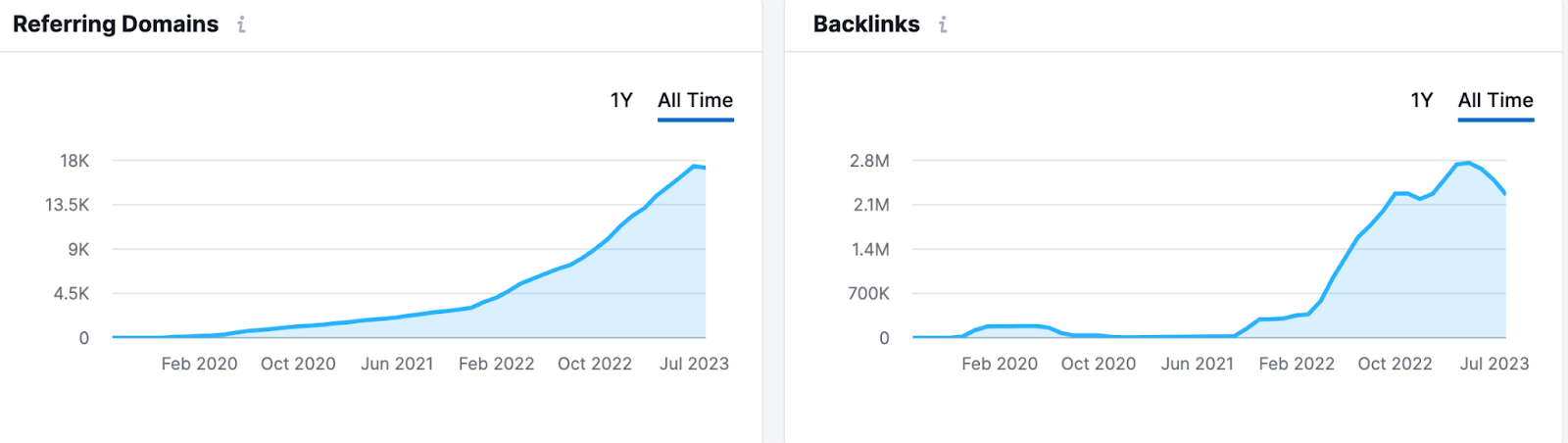
Do you think Brain Dean (founder of Exploding Topics) is building these links actively one by one? 🐌
Or are people linking to his article passively just because they are so useful?
The latter makes more sense, right? And that’s true. Exploding Topics has all its blogs related to statistics. Here’s what the topics look like:
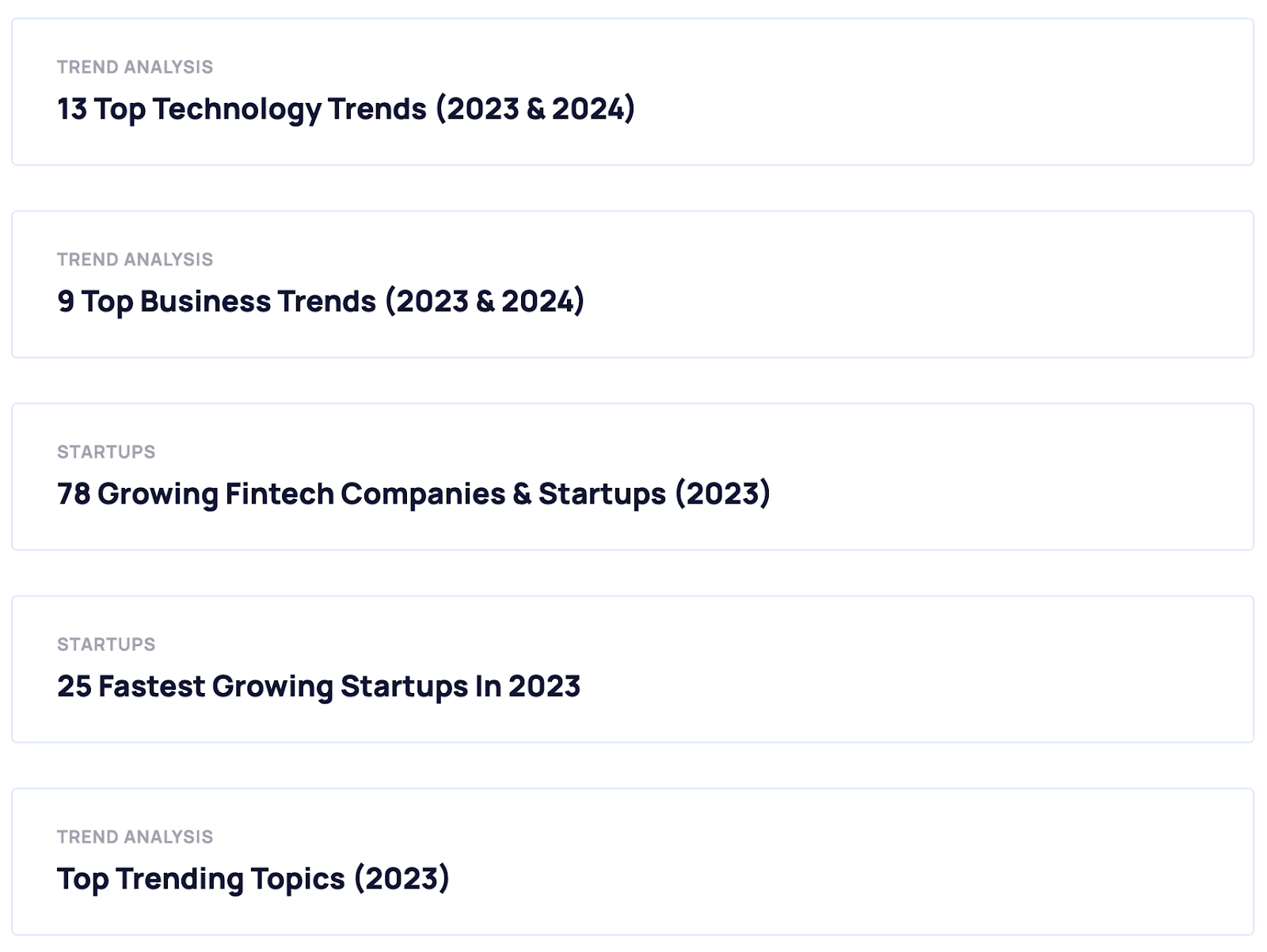
The website has hundreds of similar linkable assets, and that’s the major reason for its success.

As I said earlier, linkable assets can be any piece of content that helps other people improve their content.
Three types of linkable assets I find to be most useful are:
➡️ These keywords are fairly easy to rank and someone who is searching for statistics articles is likely to link your page as a citation.
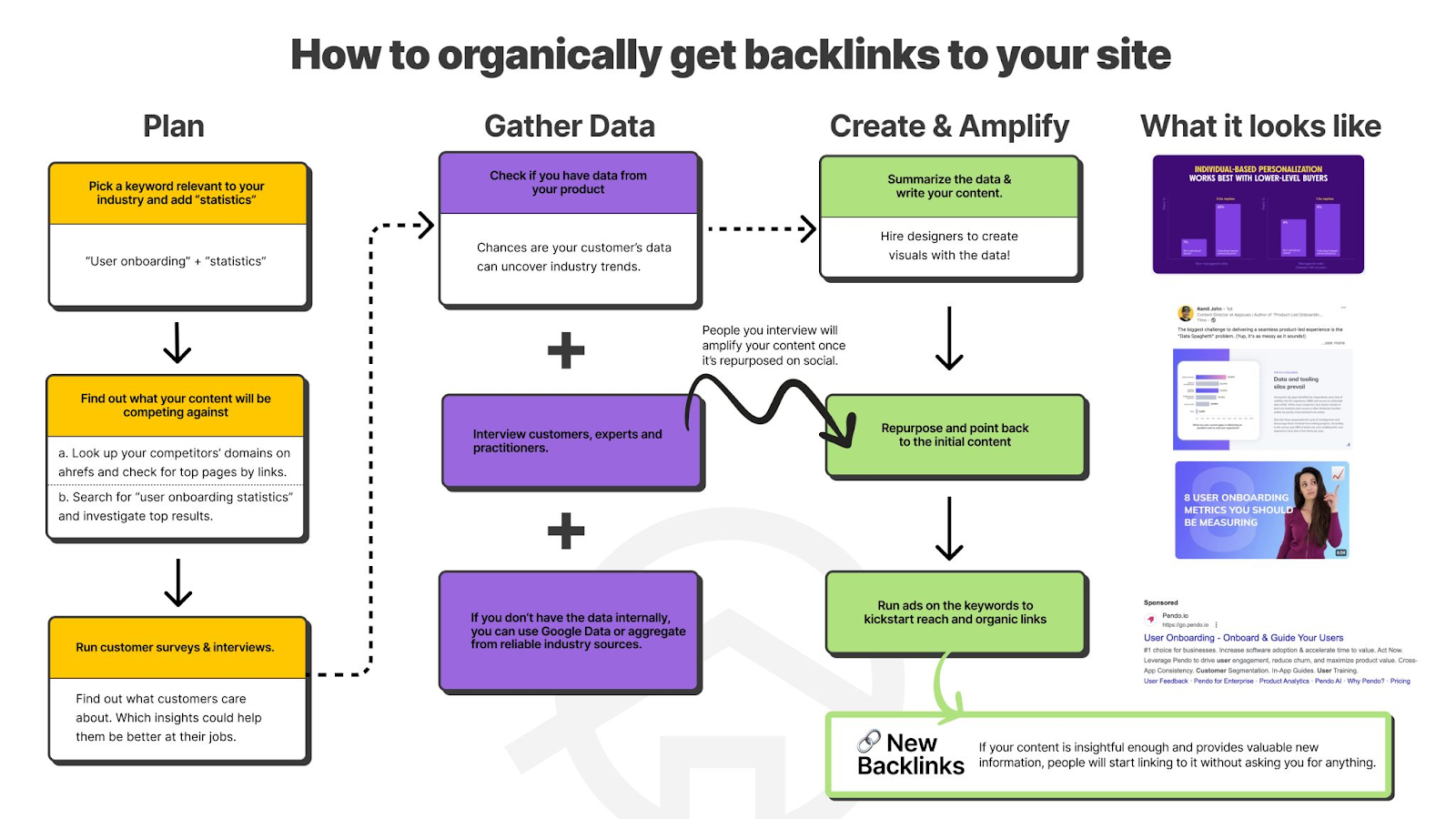
Not sure if this strategy works?
I once got 695 links from a single article without doing any outreach. 🥶

Let’s go over each one of them in detail: 👇
Statistics-type articles are the best way to build backlinks passively. As you saw in the earlier example, almost every blog on the website Exploding Topics is a statistical one.
But why do people love statistics-type blogs?
It’s because when you write 100 Best Online Business Trends in 2023, you create a guide that is useful for writers writing anything related to online business. They can take statistics from your blog and link back to it, strengthening their blog and making it look more credible.
Finding ideas for statistics and surveys
The best way to get ideas for your statistical and survey-related blog is by looking at questions in the People Also Ask boxes.
For example, here’s the PPA box for “social media users:”
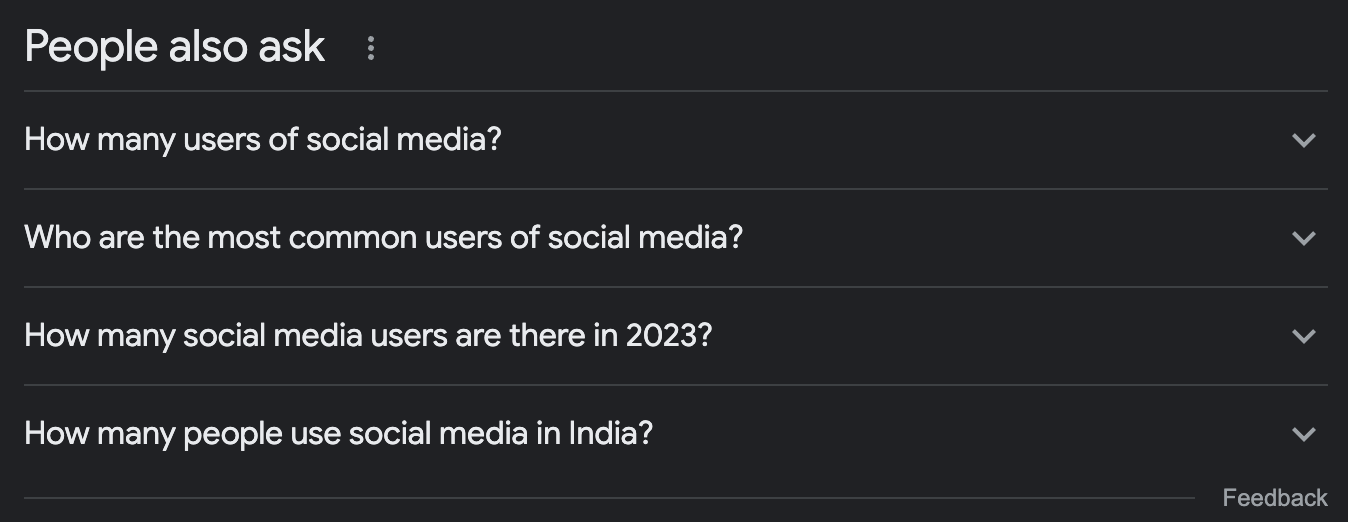
You can click on the questions to open new ones.
After doing so, here’s a list of data-based questions that I got:
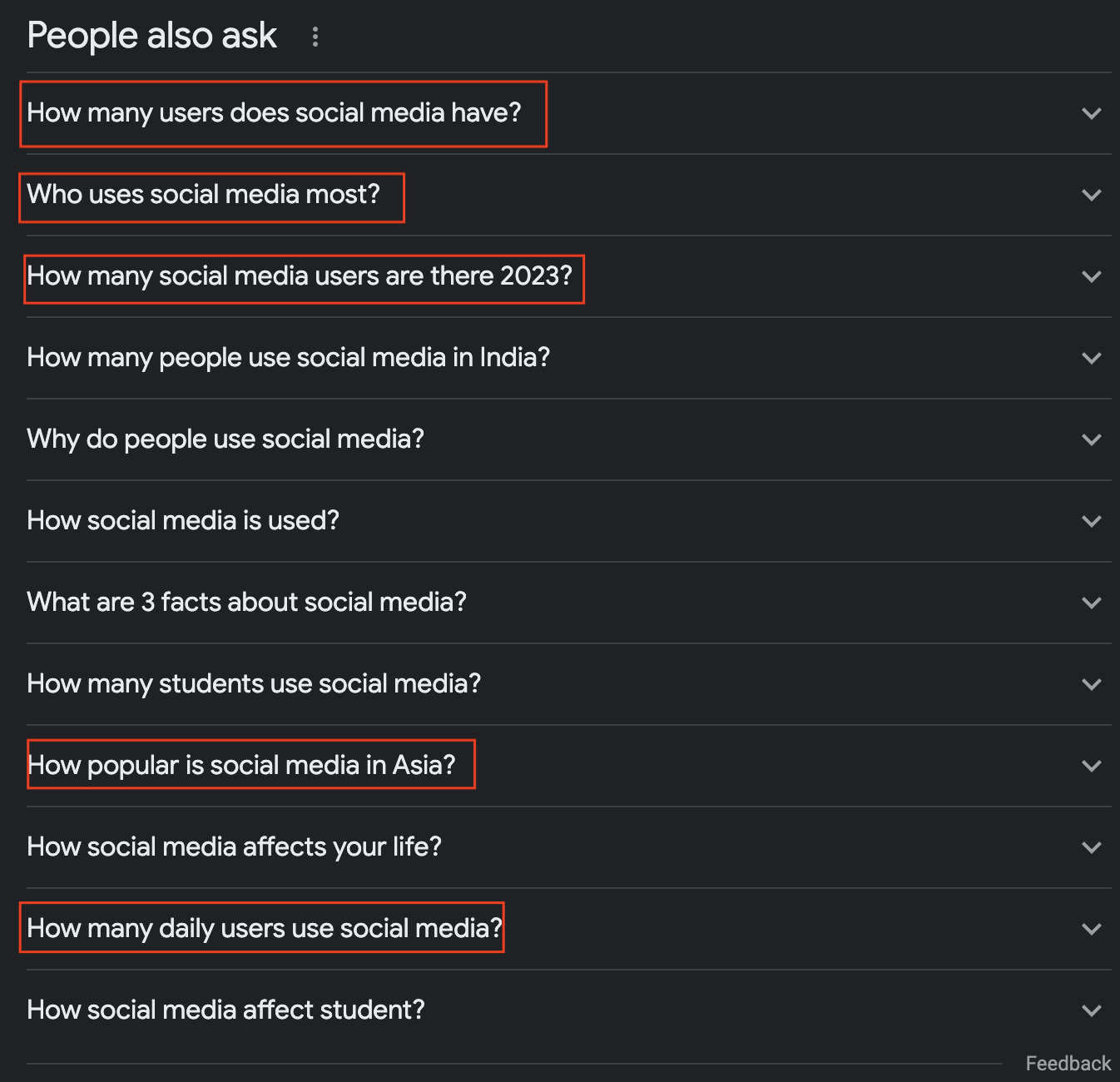
These are all great questions to include in your Social Media Users by Region, Demographics, and Devices Linkable Asset*.*
Remember this - only write about questions that are data-based.
If you’re finding it tough to decide whether to add/remove a question from your statistics guide, imagine being a data scientist. Questions like ‘how social media affects your life’ or ‘how social media is used’ aren’t your expertise, and you must not write about those.
Here’s the general procedure:
It’s pretty simple; keep going through the PPA section and compile a list of 10-15 data-based questions. Write 50-75 words answers for each question; no storytelling, no explaining. Just facts.

And you’re done.
💡 Pro Tip: Try your hardest to make the article shareable.
For example, you can embed a share button under each statistic, or you can create visually stunning infographics with all the statistics on it.
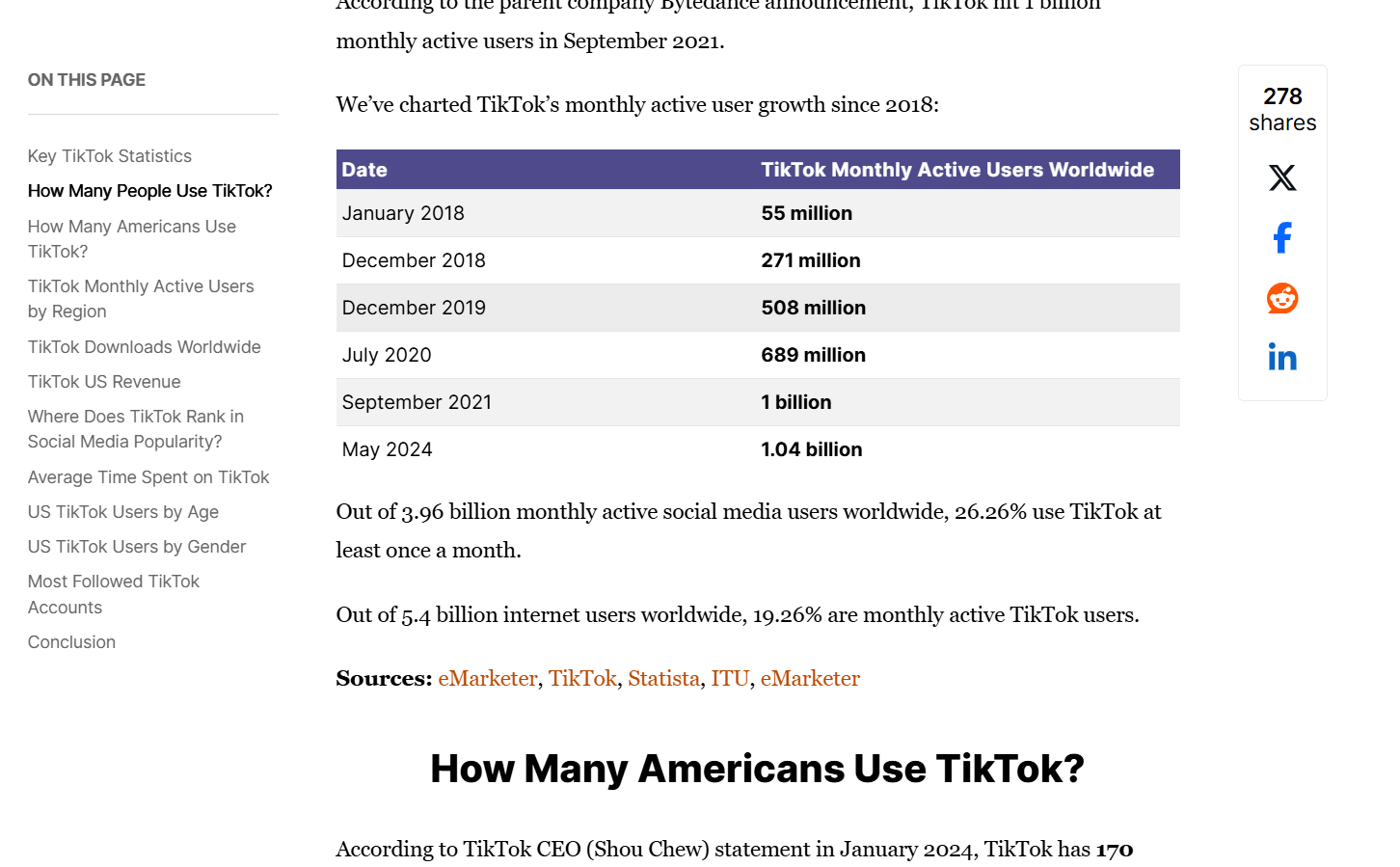
Here’s an example from the king of backlinks from statistics – Backlinko.
Here’s a method I use to write statistical articles:
Step 1: Start with, brainstorming keyword ideas related to their business.
If your SaaS is a project management software, start your search on Google by putting in - "project management statistics."
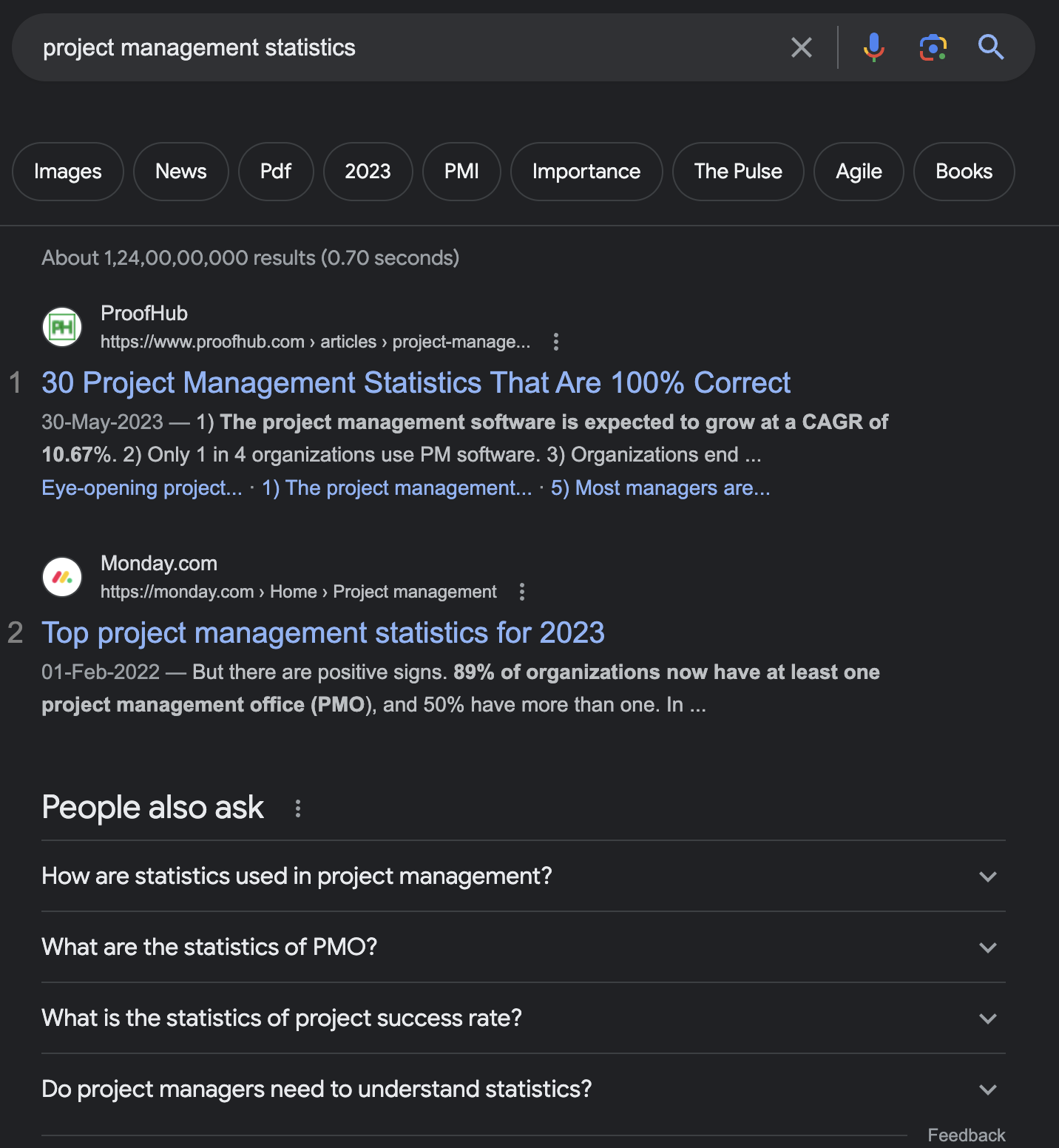
Step 2: Check out the top-ranking results to see if they are receiving links. For this, you can either copy and paste the top 10 blog page links one by one in Semrush or Ahrefs.
Or you can simply type in the keyword in Semrush, and go to SERP analysis to check the number of backlinks. We do this to check if the keyword we’re writing statistics about gets backlinks or not.
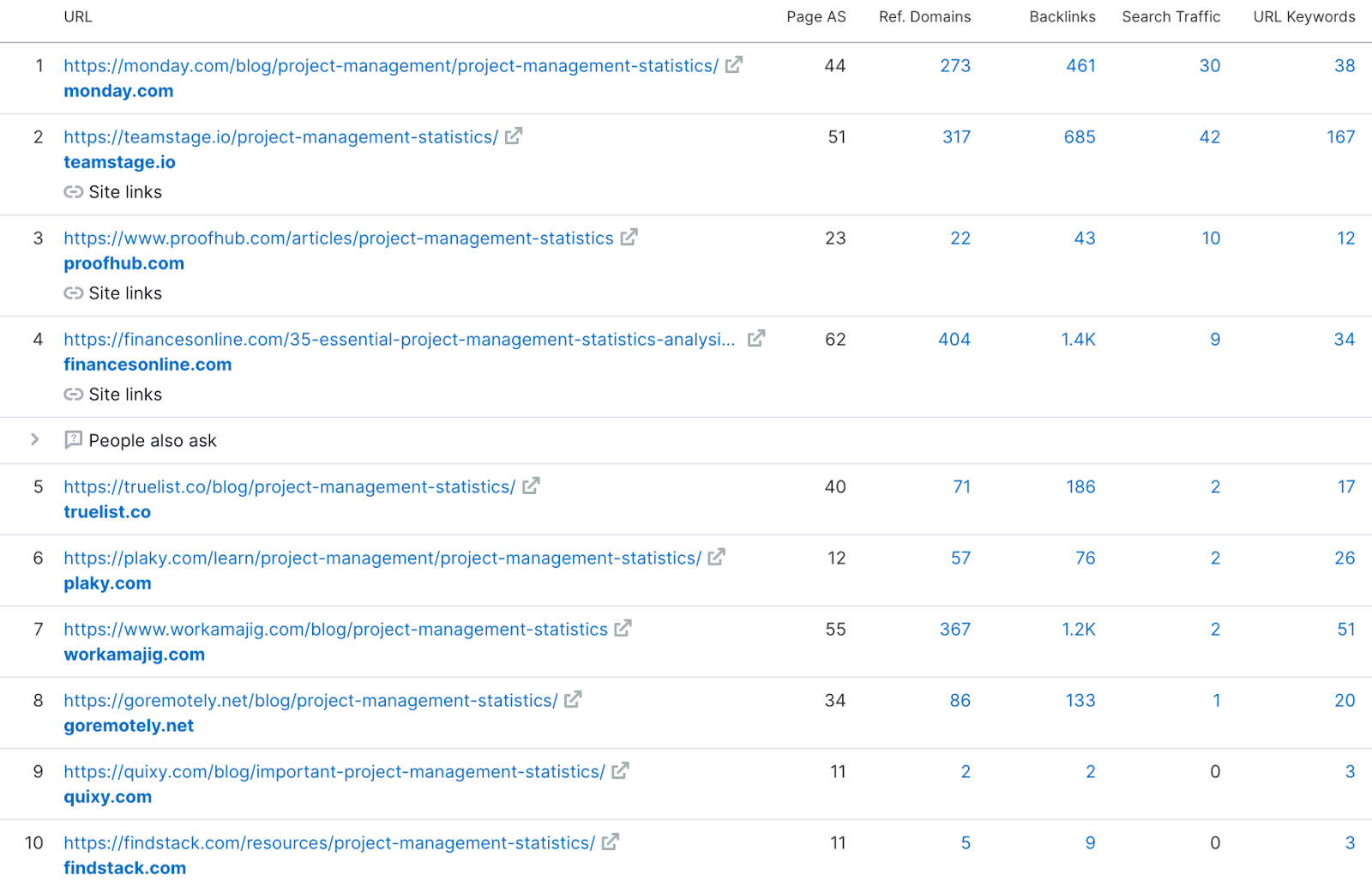
If you see the backlink profile, there are 6 to 7 blog pages getting a good amount of links, meaning that writing a statistics blog on Project Management is a good idea.
Step 3: When creating the article, my process is more or less the same as the method I mentioned above.
But I try to use in-house data if possible. This gives me an edge by having unique content on my blog, thus increasing my chances for ranking.
👀 Note: If you don't have unique data you can use Google Datasets to find statistics.
Step 4: Create the article based on the data you found. To know what your blog structure should be, take inspiration from the top-ranking results.
Always think about how you can make your content better than the already published blogs out there.

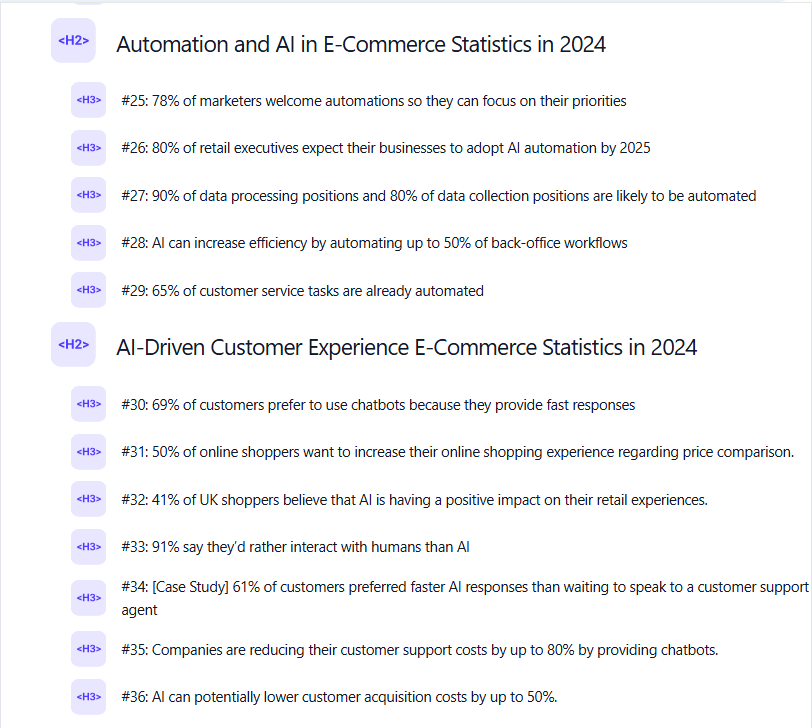
💡 Pro Tip: You can structure your statistics article based on the different areas of interest for your readers.
Here’s an example of how I structured a statistics article last year covering AI in e-commerce:
Step 5: Graphics are crucial when creating statistics blog posts. Apart from having graphs for the statistics you add to your blog, create a beautiful infographic summarizing your findings and embed it on the top of your article.
Here’s an example of an infographic on mobile users: 👇

Step 6: If you always want to keep your data up to date, you can embed a survey into your content and ask for data from your readers.
You can add content upgrades to your blog (more on that later) so that people are interested in giving their insights for content updation.
Statistical blogs aren’t written like normal blog posts where you have a primary keyword, and then you should optimize the blog post for LSIs around it.
The motive for statistics-related blogs is to have a lot of headers and rank for long-tail keywords.
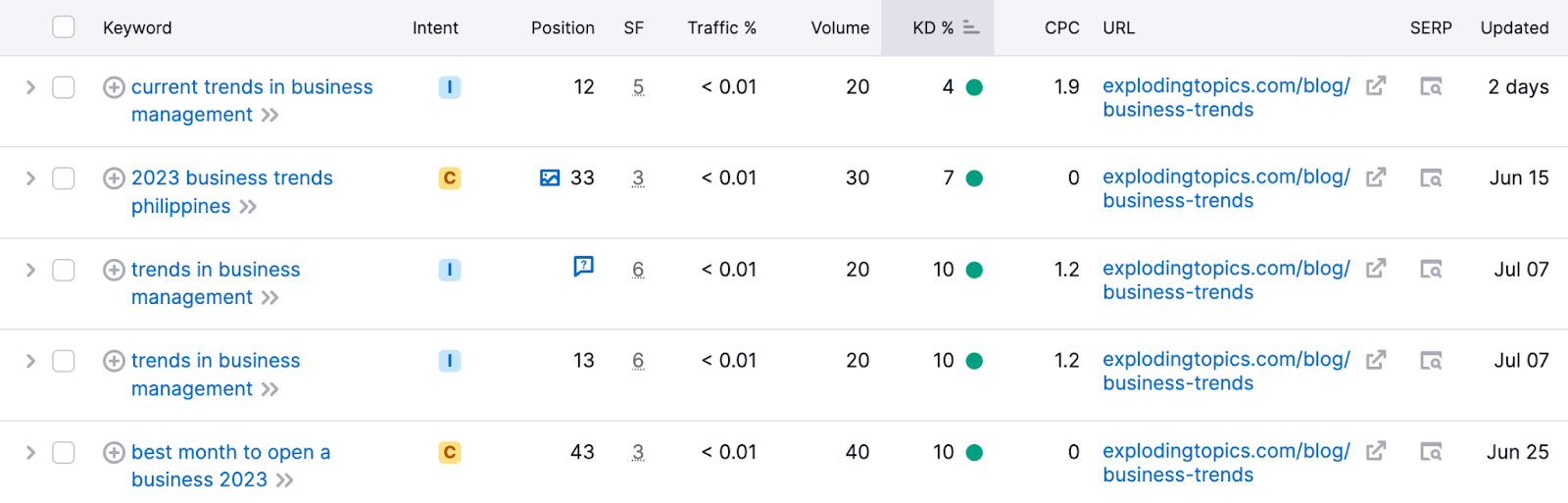
For example, the statistical blog below from Exploding Topics ranks on top of Google for the keyword - business trends.
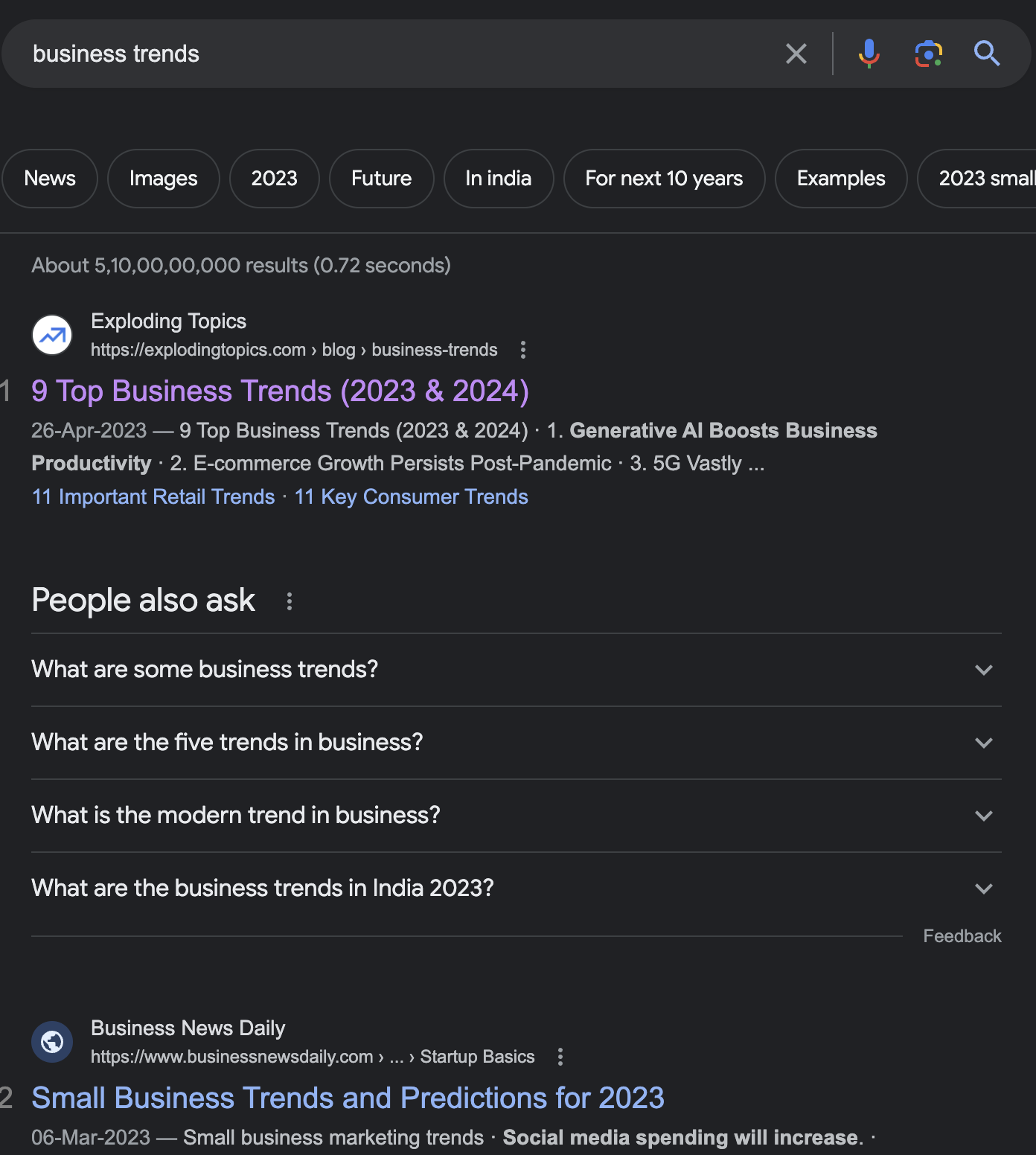
It ranks for more than 700 supporting keywords.

And the majority of the keywords are long-tail keywords like these:
Glossaries and definitions-type blogs are the next best to build links passively, here’s why:
Writing a glossary doesn’t require an expert and expensive writer.
Glossary is, in a way, a collection of definitions that doesn’t require you to be creative. It also doesn’t require you to be an expert or have deep knowledge of the topic.
Surface knowledge is good enough, and a half-decent writer can get that level of knowledge in 30-40 minutes.
In case you want to build backlinks manually, having a glossary is a great way to insert extra backlinks in your guest posts.
No one would mind you inserting a definition-based article in their content.
Here’s a short calculation of how many links you can expect from a glossary-type post passively and the value of it.
Let’s look at the social media glossary by HubSpot:

The blog has 1500 backlinks from 213 referring domains.
Any decent link-building agency would charge ~ $300 per backlink.
Assuming HubSpot’s got 700 decent backlinks from 1500, their glossary generated $210,000 worth of backlinks passively.
Suppose you have a SaaS that caters to e-commerce store owners and you want to create a glossary page for all the e-commerce marketing terms and concepts.
Here’s how you can take ideas from the related keyword section of Semrush to get relevant terms and concepts.
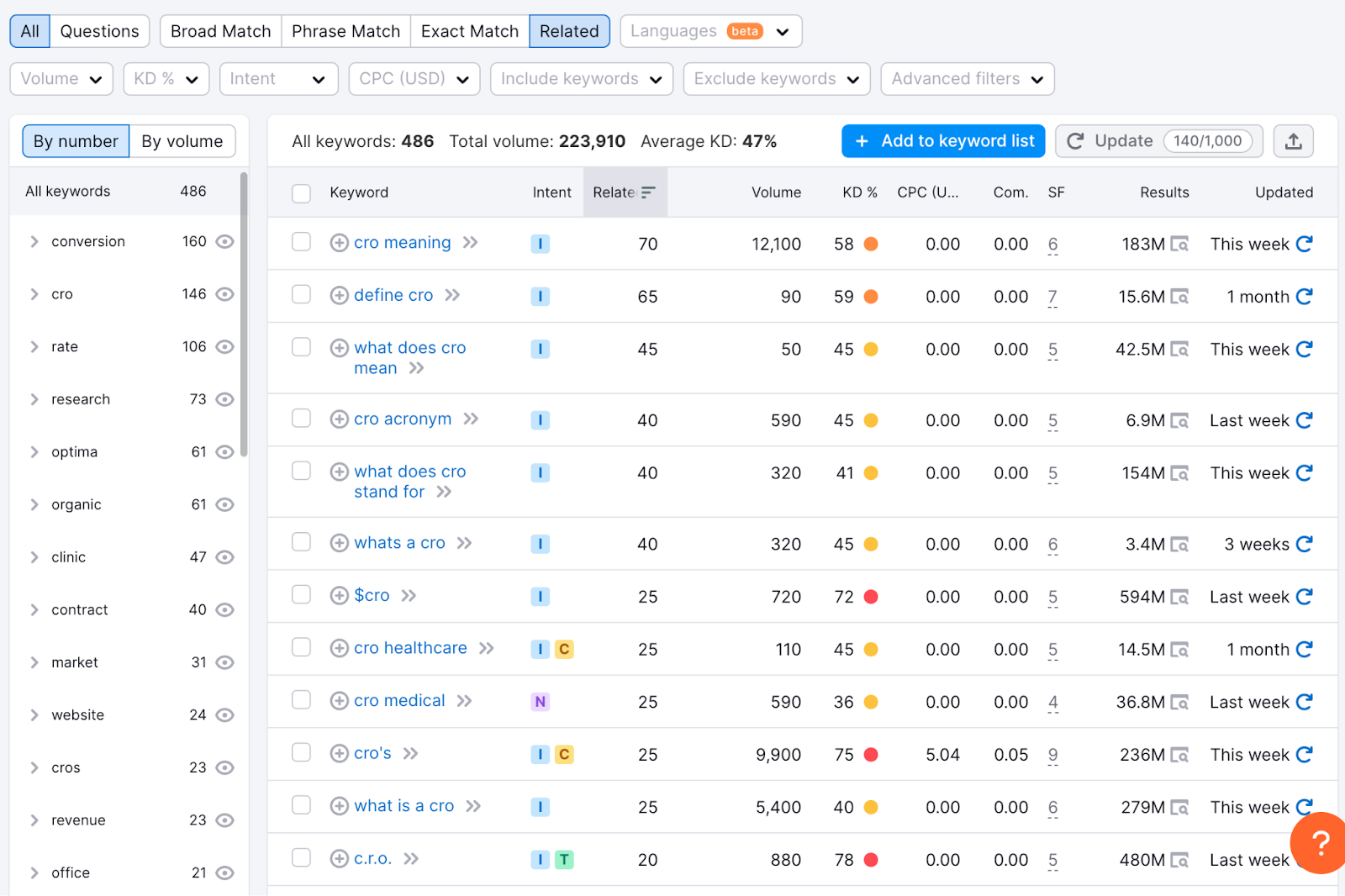
Step 1: Type a term you know is one of the concepts in e-commerce marketing. Let’s type in, “what is CRO.”
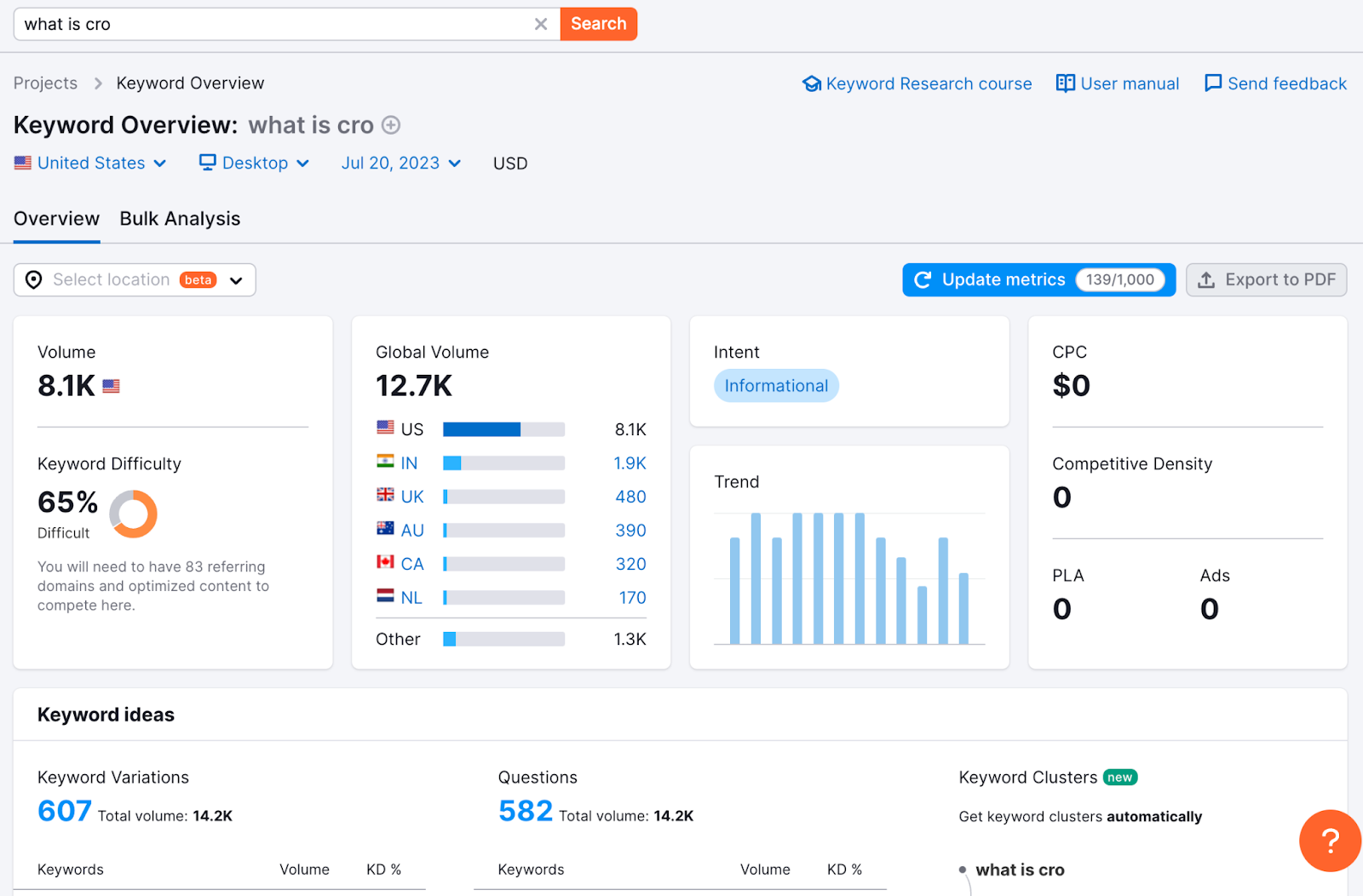
Step 2: Scroll down a bit, go to the Keyword Ideas section, and click on View all [number] keywords.
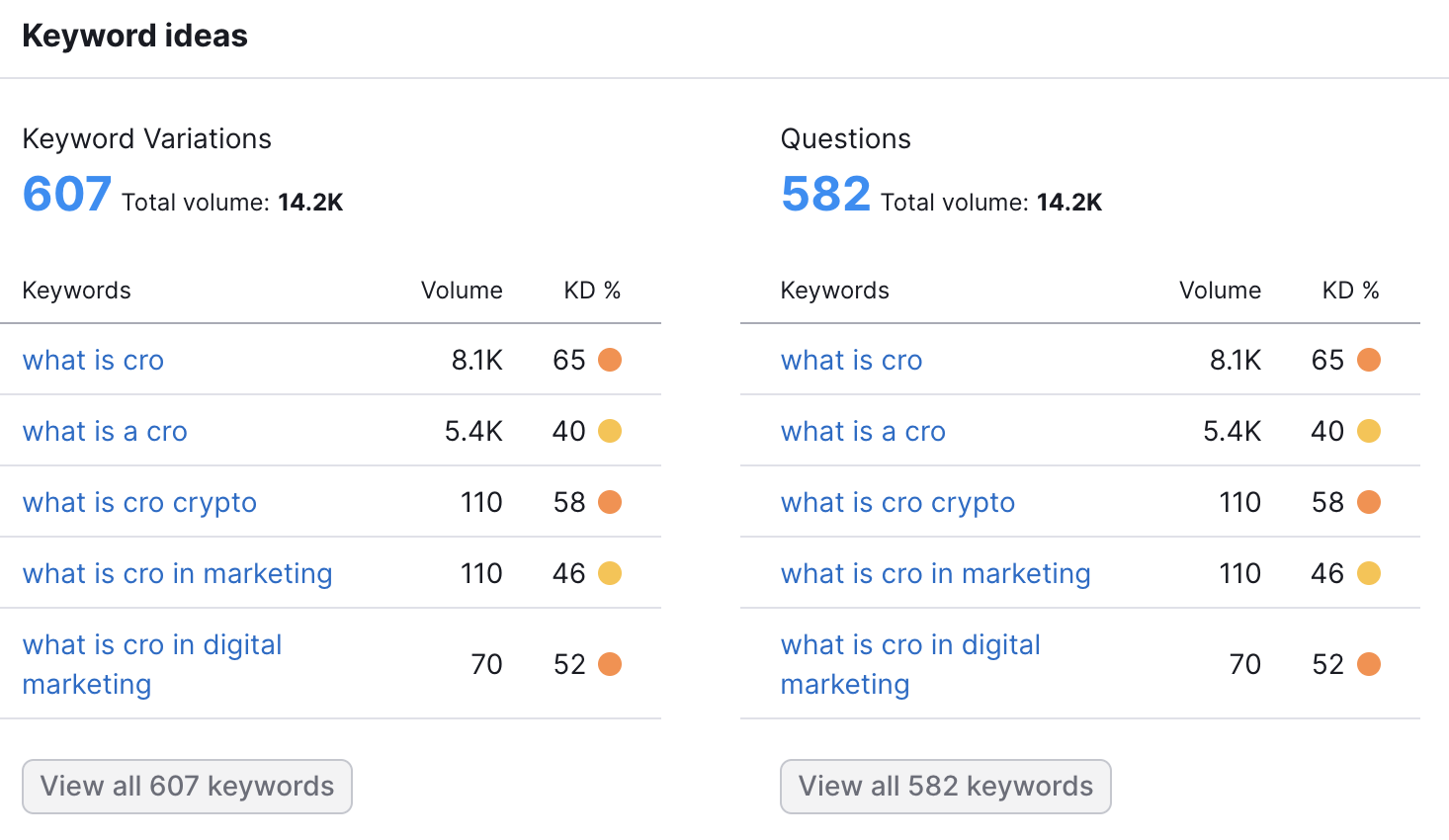
Step 3: When the keyword idea page of Semrush opens, it shows you broad match keywords for the term you put in. Go ahead and change it to Related.
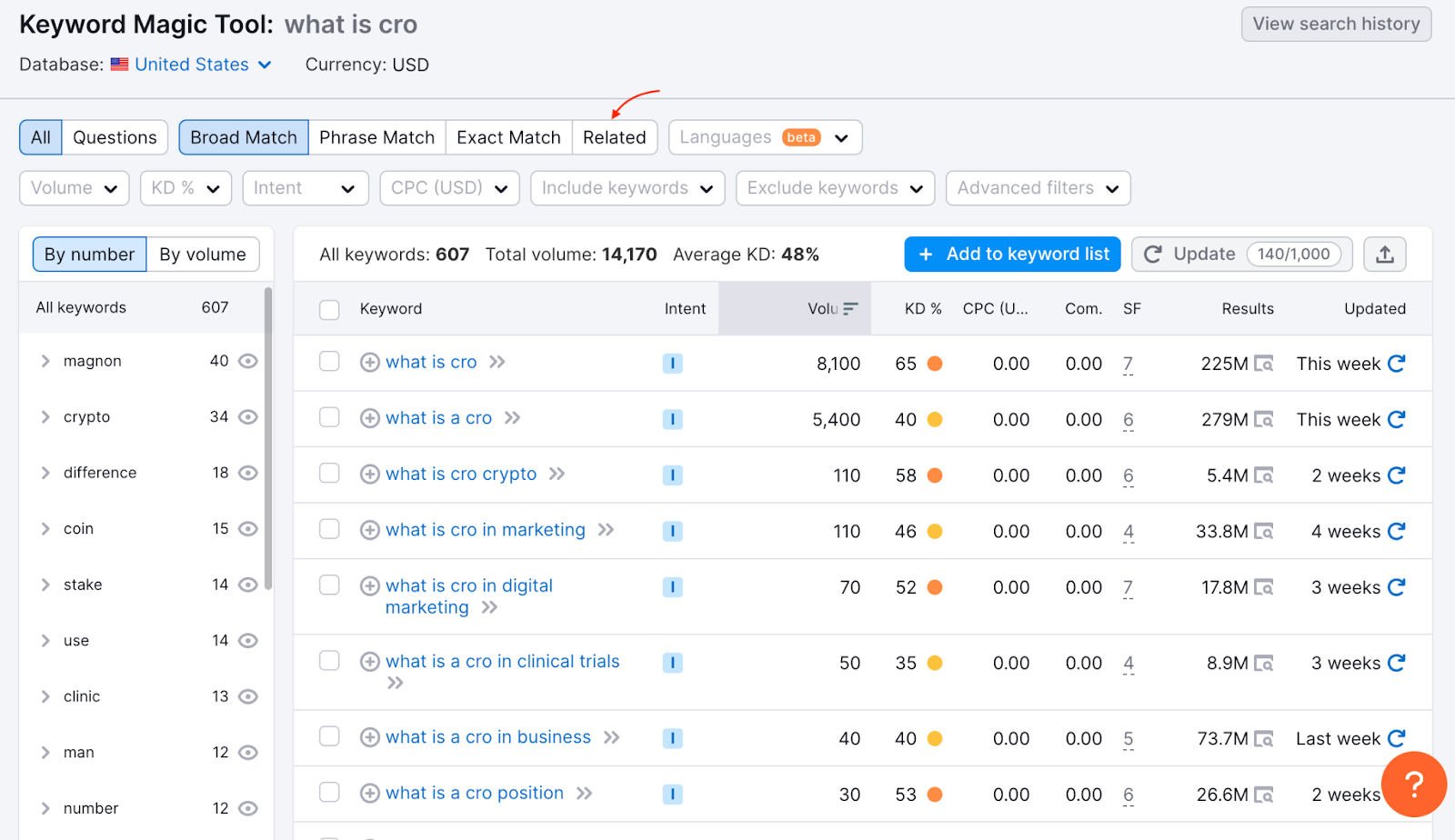
Step 4: Export this sheet as CSV and shortlist all the different terms you think might be a good idea to include in your glossary.
This process is, well, self-explanatory.
Spying on your competitors to take inspiration from their blogs is a great way to stay up to date with new angles and topics people are searching for on Google.
Here’s a short guide on how to do competitor blog page analysis via Semrush:
Step 1: Paste your competitor’s website URL in Semrush.
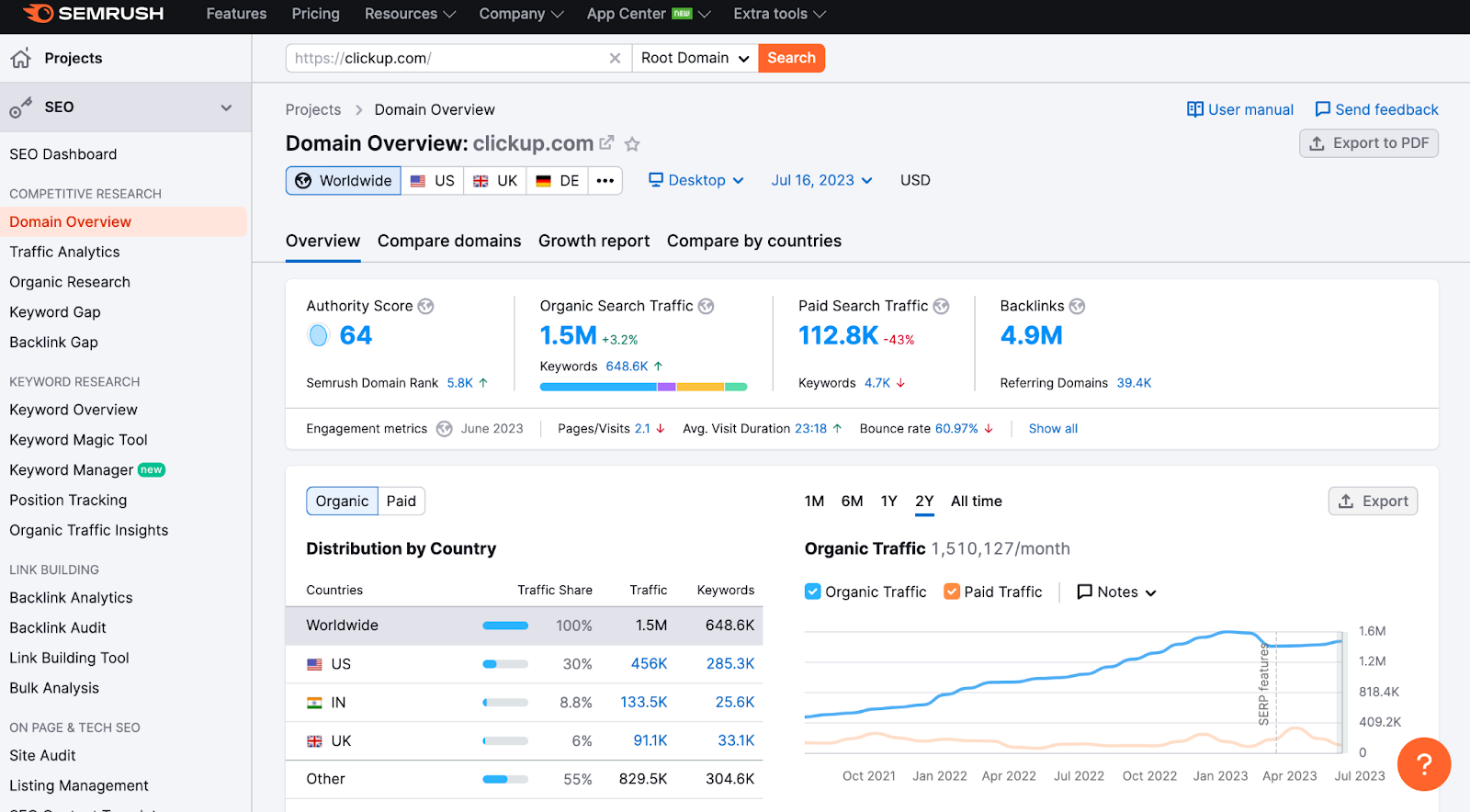
Step 2: Click on Backlink Analytics.

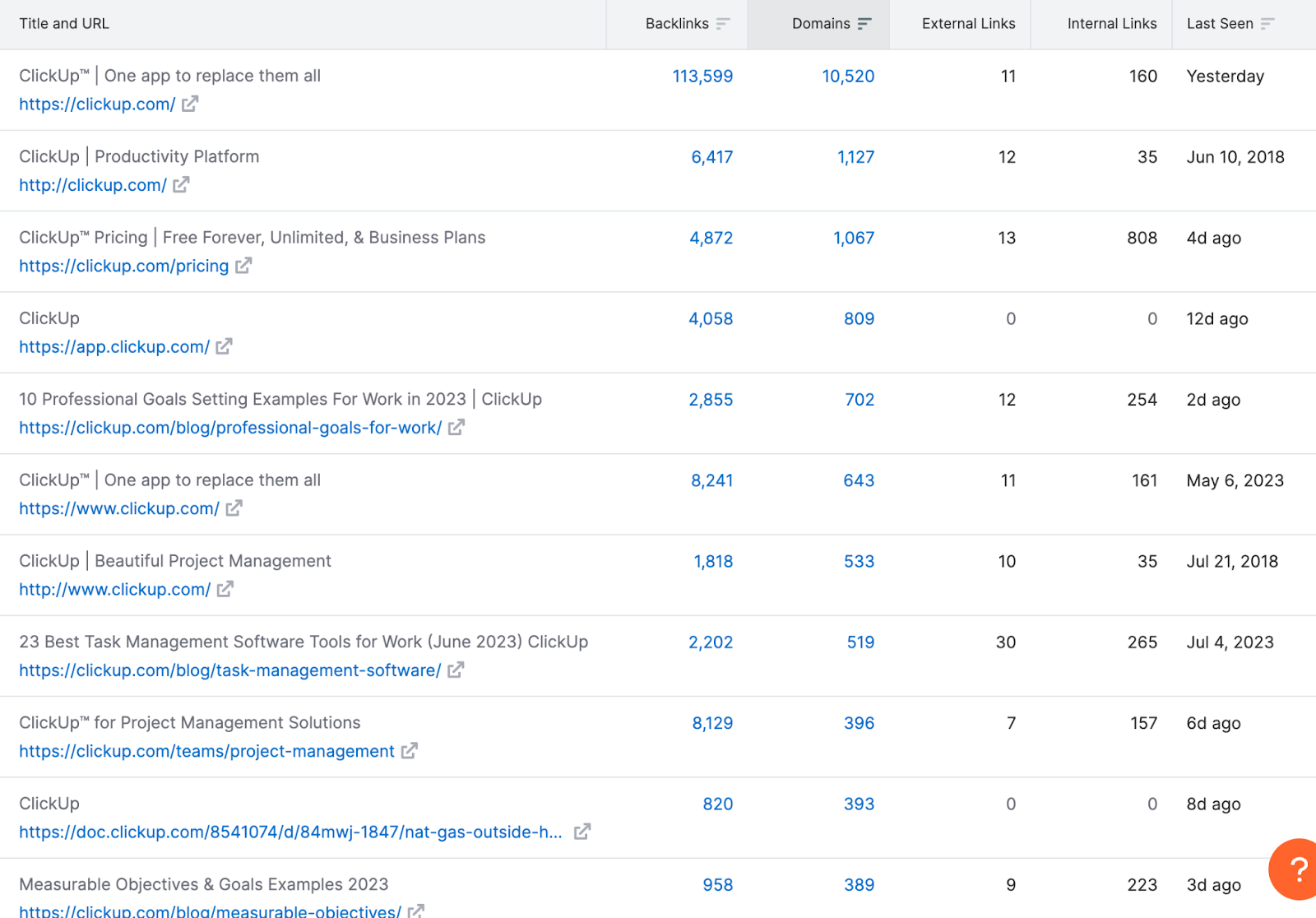
Step 3: Scroll down to the end and click on see the Top Page section. This section is all about the pages with the highest backlinks. Click “View full report.”
Look specifically for blog pages so you can get topic ideas and build mini clusters around them to outperform your competitors.
And that’s it!
I know you want to get all your traffic organically, but when you’re just getting started with SEO and have a handful of blogs online, a little boost can work wonders.
This little boost can come from running Google Ads on your money pages.
Let’s say you’ve written an epic listicle on Asana alternatives. Being a new website with DA between 0-10, it will take a long time for your blog to rank on Page 1.
Running a Google Ads campaign to drive traffic to this page is a great way to pick up sign-ups in a short time while you are building up your topical authority and backlink profile.
What you need to do is, go to Google Ad campaign manager and use the exact match keyword, which in this case is, [Asana alternatives], so that you don’t waste your money.
This way, people who are searching for this exact keyword will only see the ad. From this Asana alternative page, you can either take your visitors to your website’s landing page or directly to a free sign-up trial with your tool.
You can do so by introducing your SaaS as one of the best Asana alternatives in the listicle you write.
I always recommend start-ups combine paid and organic to scale faster to see both short-term cash flow and long-term results.
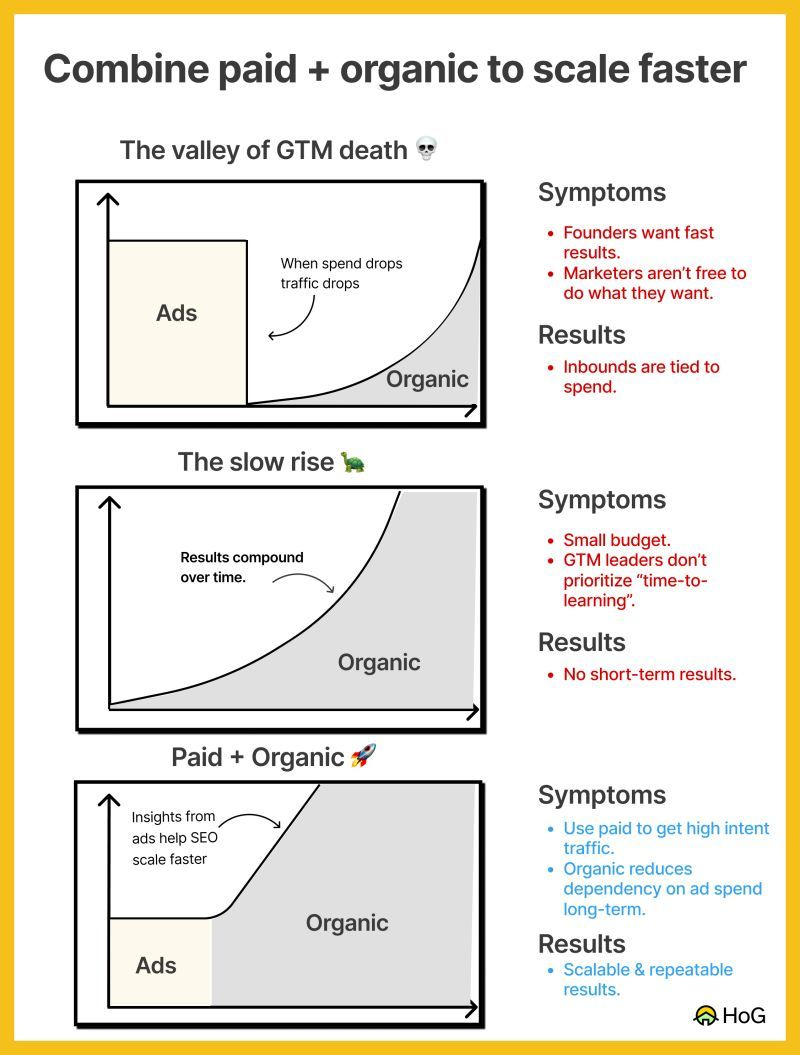
➡️ Alternatively, if you only focus on SEO as a start-up, you will see no short-term results and your team will get demotivated.
The thing is, the insights that you will see from your advertising campaigns will help you scale SEO faster (e.g., validating assumptions, such as which keywords will convert the most and improving your quality score).
Despite the higher initial cost, you will have tangible results from the beginning, and results from paid channels will help guide organic channels and ramp them up faster.
Content upgrades act like small lead magnets that help your prospects go down the funnel, one step at a time.
So how would you embed these updates in your existing content?
It’s simple, these upgrades can be in the form of a helpful PDF, quiz, checklist or any type of content that persuades people to act and, at the same time, be of great value to them.
Here’s an example to understand it better:
Look at this blog on Project Monitoring by ClickUp:
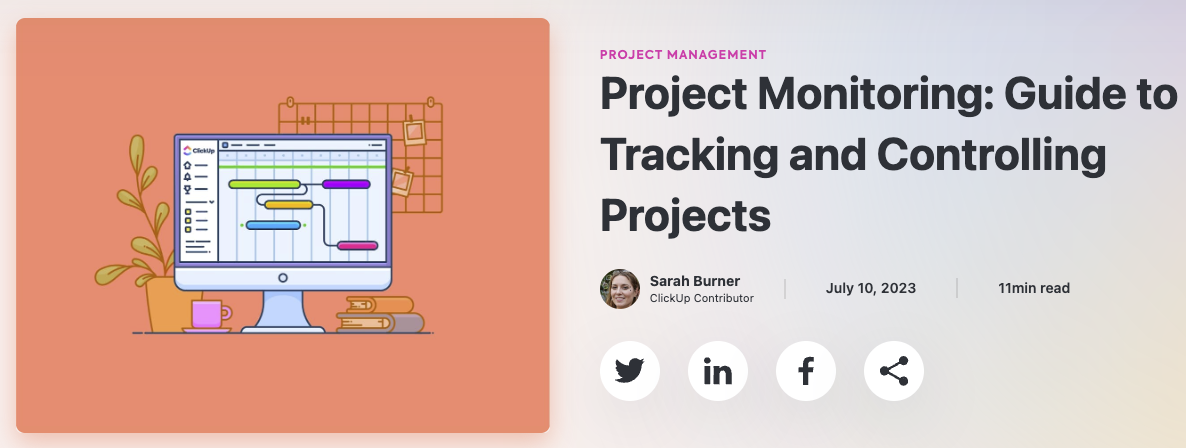
If you scroll through it, you will see that the blog has a template to help readers make a project monitoring sheet.
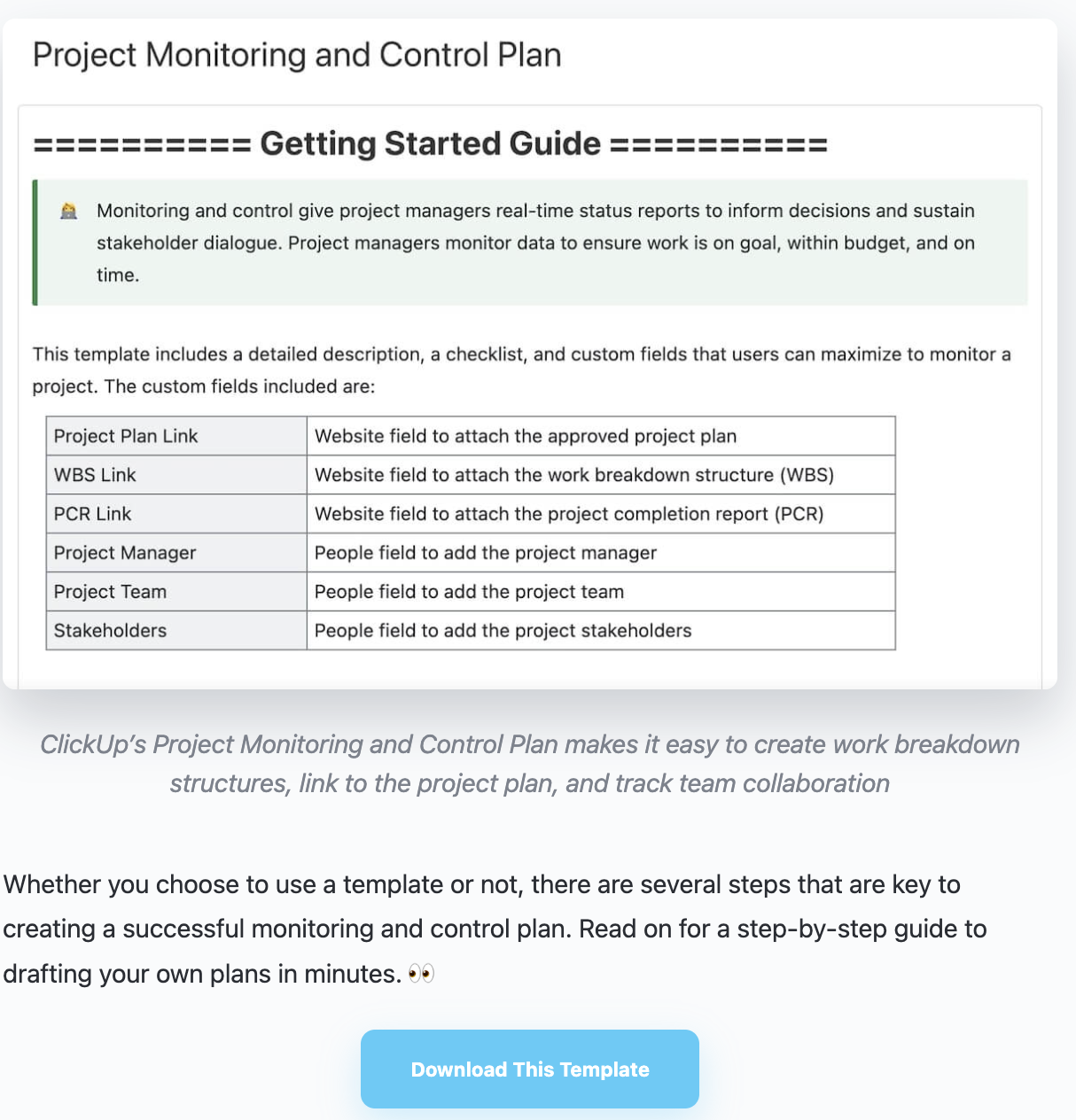
Now as soon as I click on ‘Download This Template,’ it redirects me to ClickUp’s sign-up page so that I can create an account and use the template on ClickUp.
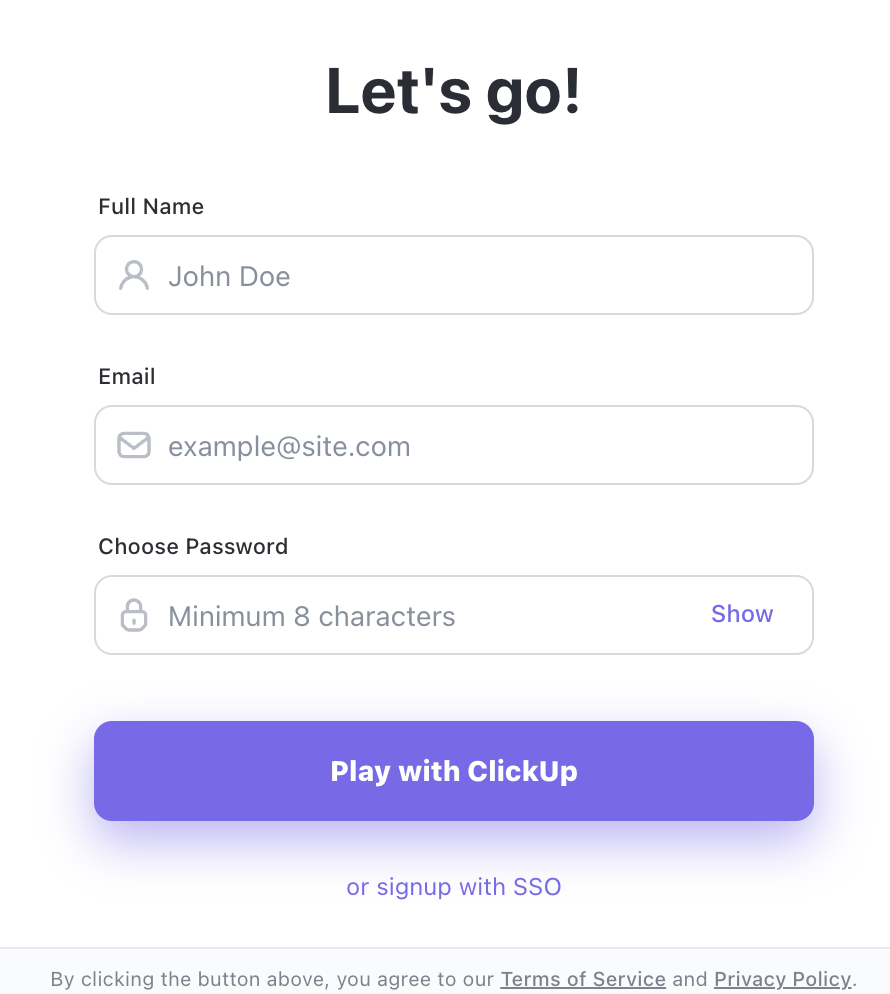
This way ClickUp’s:
So this is how you can use your existing content with upgrades and get free signups quickly.
Apart from the content upgrades I just talked about, there are several other content upgrades that you can use inside blogs to increase conversion rates.
If you have a webinar or an expert interview relevant to a blog you’re writing, it’s a good idea to offer it as a bonus.
Another idea is to record a blog as an audio file and share it for free at the top of the blog. People consume information in many different ways, so it's a good idea to have several ways available.
Here’s an example of a video embed I used a little while back:
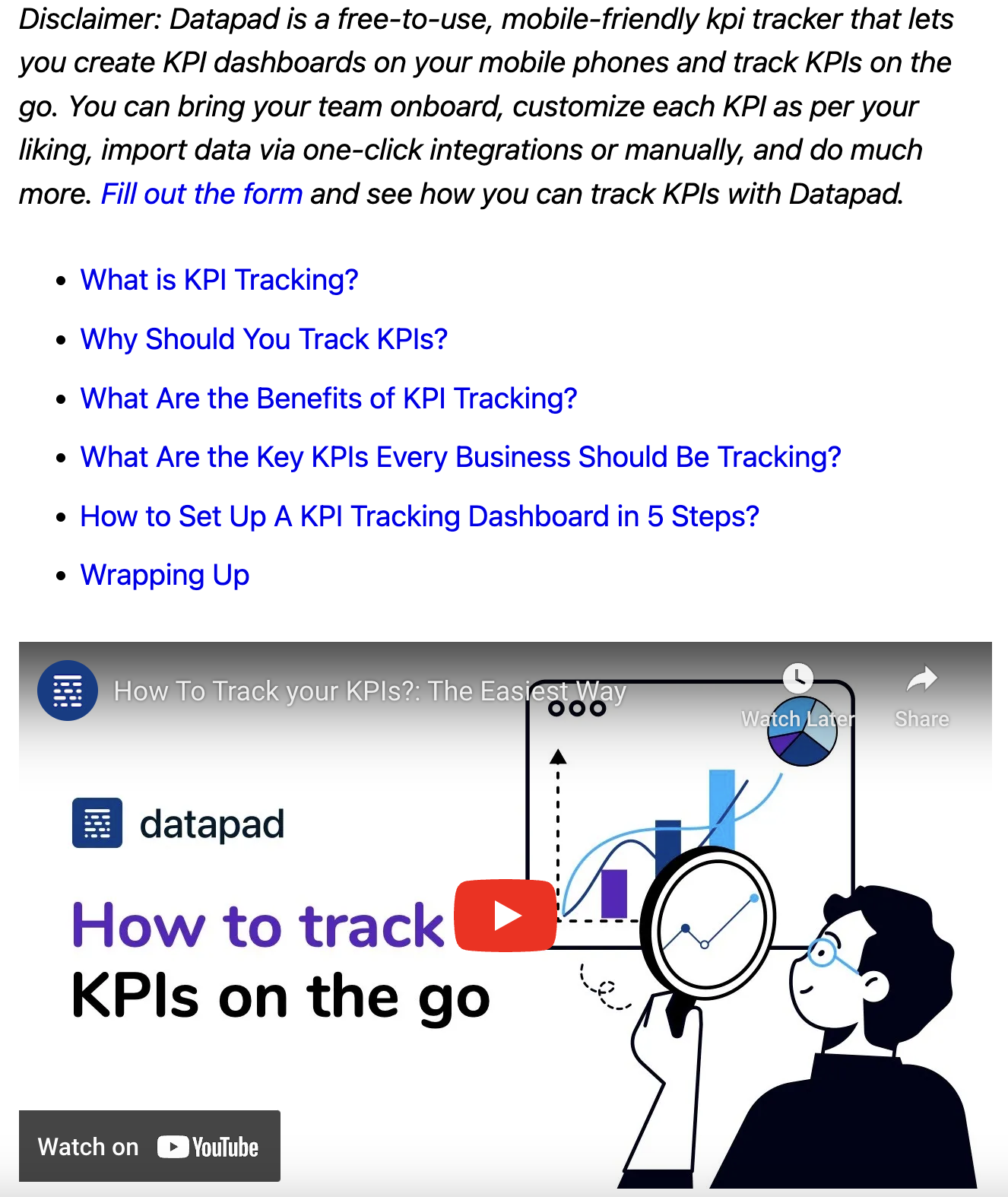
👀 Note: This is a decent performing post and the video has got ~1K views.
Suppose you’ve been a project manager for a decade, writing about 10 Challenges Project Managers Face When Delegating Tasks.
Working for so long in the industry you know every inch of it and might have seen almost all kinds of challenges that a person might face doing their job.
Making a report about it and attaching it to your blog could be one of the most useful content upgrades and of great value to young and new project managers reading the blog.
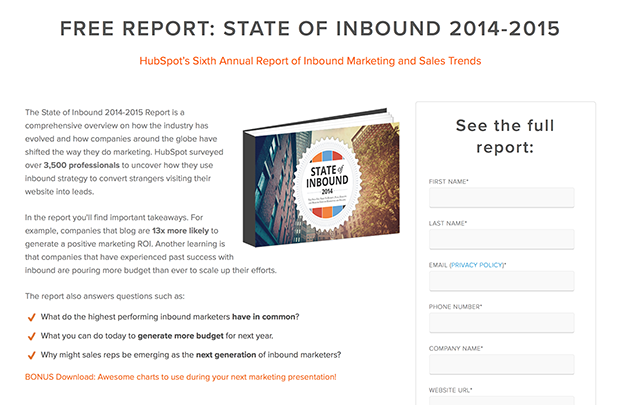
When you’re writing about a topic that needs listing things in some specific order, it’s a great idea to give your readers a worksheet.
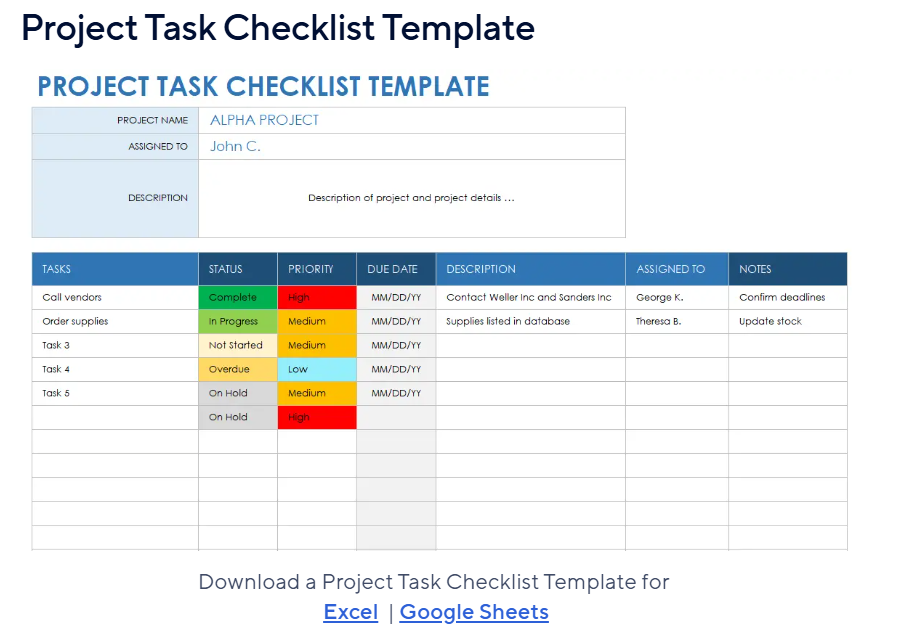
Another form of content upgrade your audience would love is a template.
So this blog is all about how I grow monthly signups with content and SEO for my clients, and that’s why, in Step 1, I linked content templates that helped us increase signups.
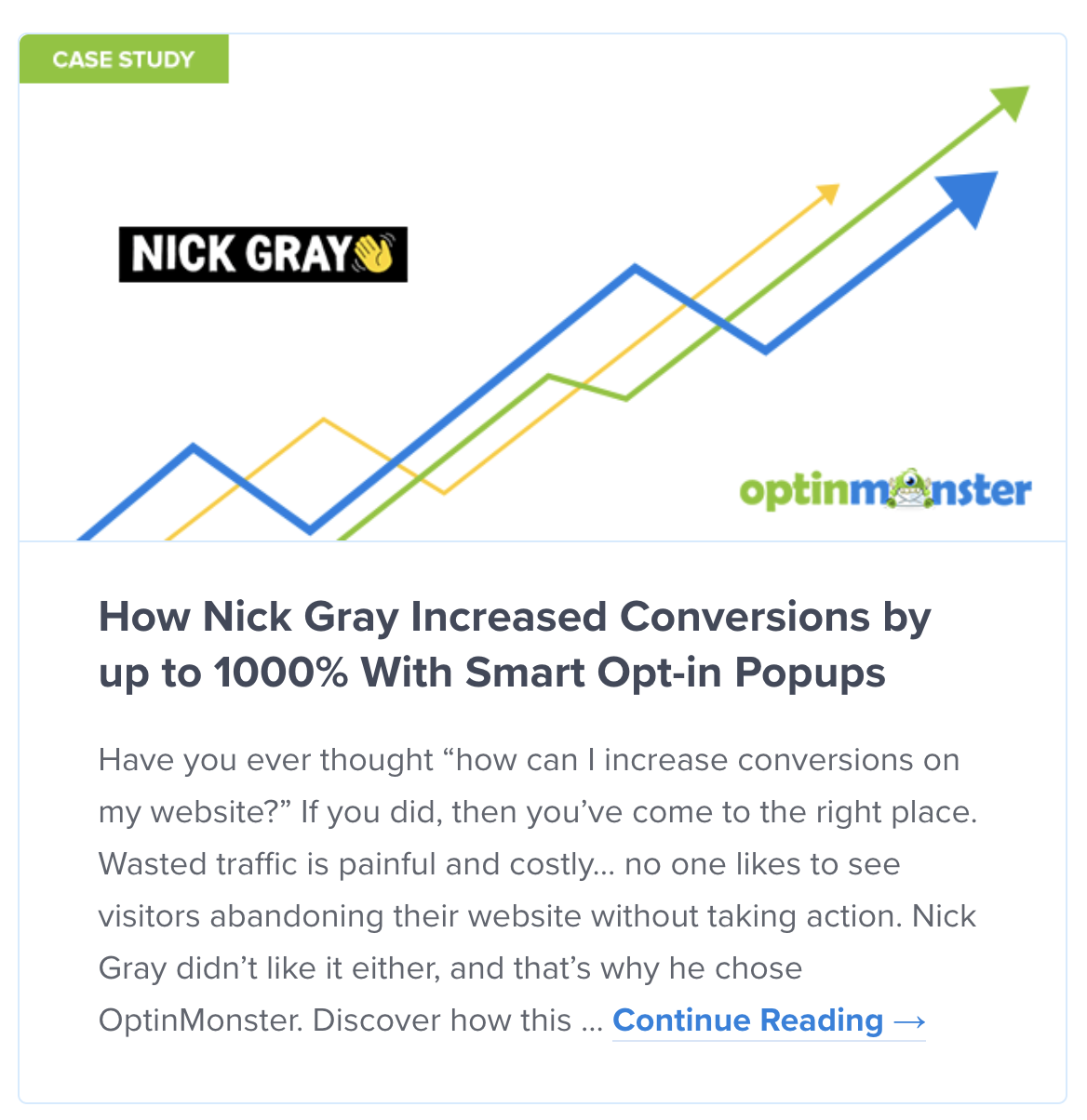
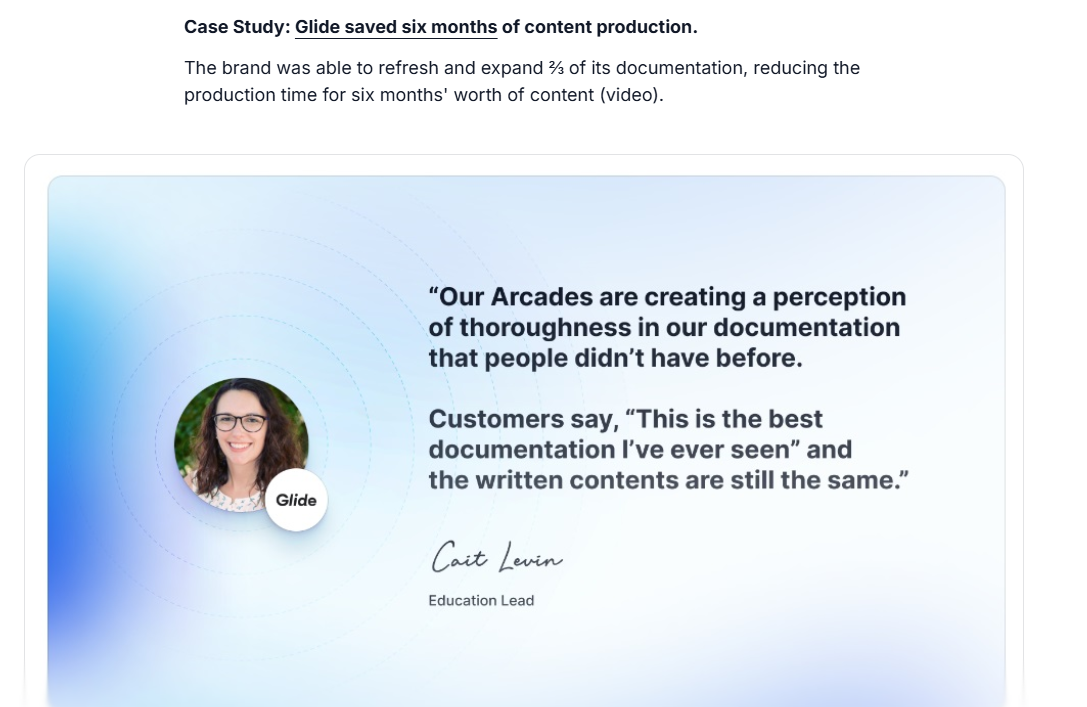
Case studies are the kind of content upgrades that build trust and confidence between your product and prospects.
When a hot lead is on the verge of signing up for your product but needs validation, a case study could go a long way.
For example, if you own a SaaS product that helps in hiring writers you could make a case study of a company that uses your SaaS to hire writers and give relevant numbers like:
How we helped a company hire 10 solid writers out of 1,000 applicants in just a week.
Last but not least – interactive product demos.
An interactive product demo is a self-guided walkthrough of your solution that lets your readers navigate through your platform.
The readers also see tooltips, modals, hotspots, and other interactive elements, enabling them to quickly explore your SaaS product.
In start-up language, this helps users get to their ‘’aha’’ moment quicker by experiencing your product first-hand.
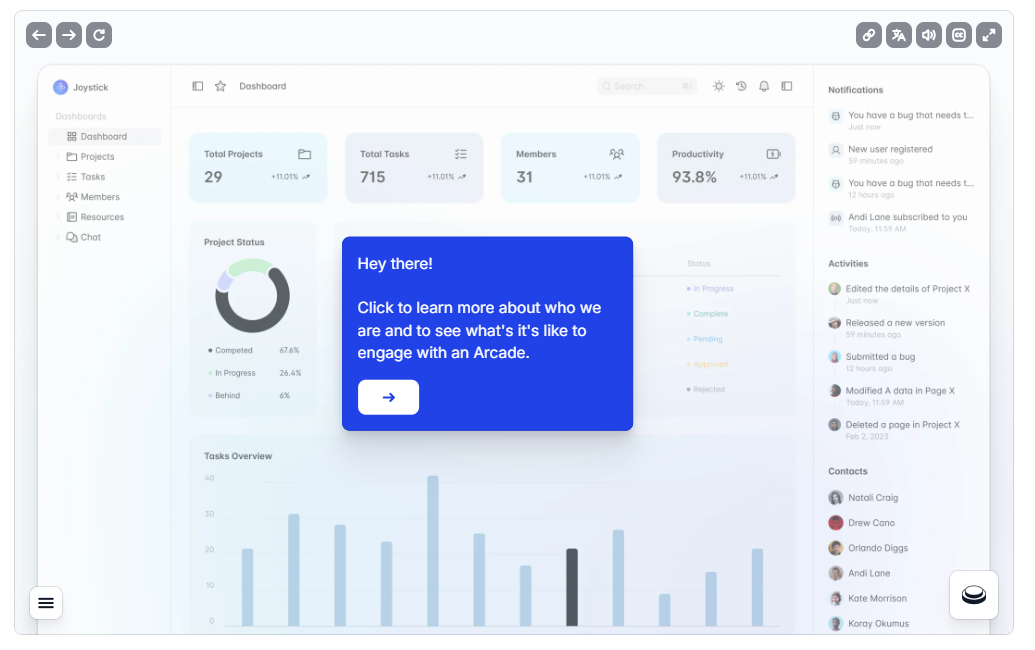
You can build an interactive product demo by capturing your product through a screen capture tool available in your browser.
Some of the interactive demo platforms offer a Chrome extensions through which you can capture your product.
The way they work is that you have the option of capturing the entire HTML or only images of the product.
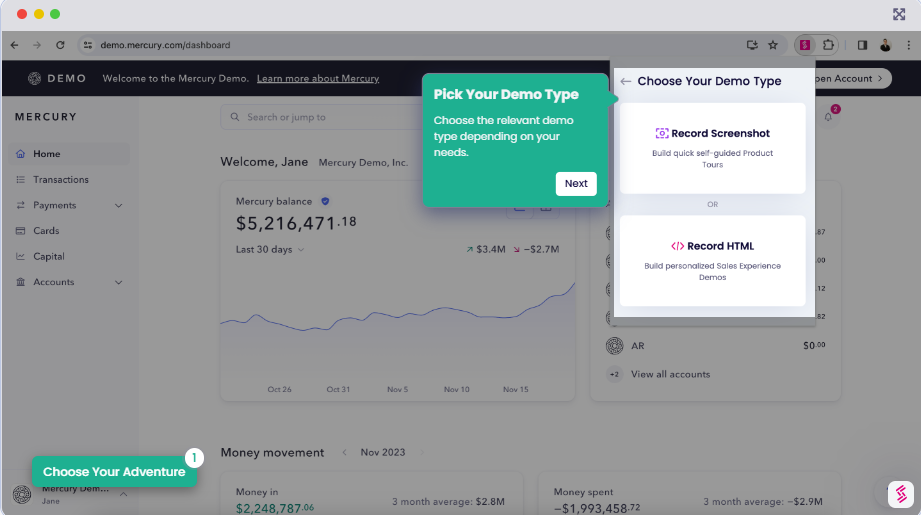
💡 Pro Tip: You can experiment with interactive product demos by creating a few for free.
I found Supademo which gives you up to 5 free product demos (that’s enough to test conversion rates) to try out the tool before committing to a paid plan.
As I already mentioned above, you need topical authority to outrank competitors, such as HubSpot and ClickUp.
Topical authority is when a website puts effort into becoming an expert in one or more topics in their niche – Google then uses complex models to measure your topical authority within that topic.
For example, if you have an email marketing tool, you could try to become an expert in email funnels, email campaign running, or some other sub-topic of email marketing.
Here’s my 2 cents when it comes to building topical authority in B2B SaaS: You should take one sub-topic and cover it from all angles.
To me, this is the difference between a scalable SEO strategy and a non-scalable SEO strategy.
Instead of writing on many subjects with TOFU guides, brands (especially start-ups) need to focus on one topic going over the full funnel coverage:
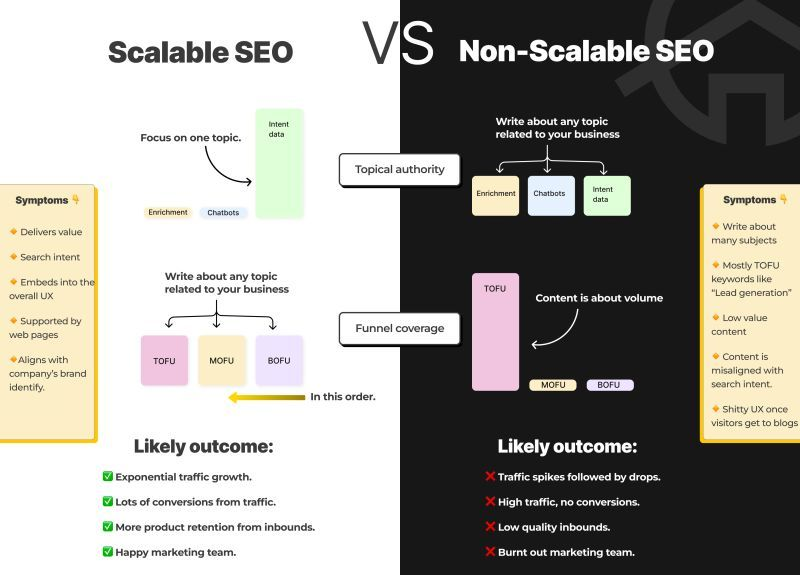
Covering all sub-topics at once is like putting your legs in two boats and landing nowhere.
It's important for SaaS businesses to build topical authority around a topic that is highly relevant to their business.
You do that by focusing on a single topic and covering it deeply before moving on to different topics (e.g., covering email marketing completely).
If you’re writing about email warmup:
And then move on to the next topic and repeat the same process.
When I take on a new client, I begin by evaluating their existing topical authority before I even start my keyword research process.
The way I evaluate topical authority is by conducting an N-gram analysis.
Those of you who have a background in online advertising will know what I mean, but here is the TL;DR:
In the case of Jamie, one of the websites I’m working on, I can start spotting the trends already within their two-word, three-word and four-word patterns.
I can see that Jamie has already built some topical authority around ‘’ai note taker’’ and ‘’free ai note taker’’.
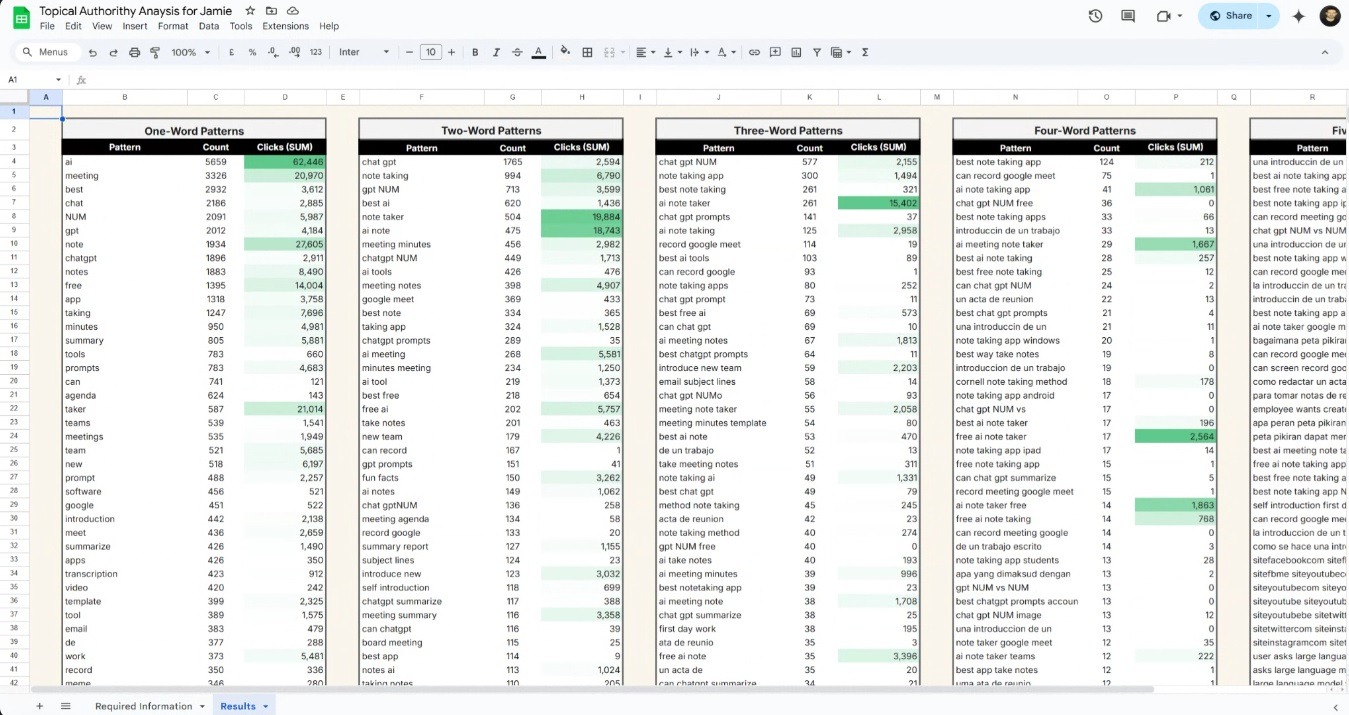
Interested in the template of this? Shoot me a message on LinkedIn and I’ll send it to you for free. :)
And this is exactly the niche that I’m going to attack. I’m going to play by this website’s strengths.
💡 Because why else should I start building topical authority from scratch when the website already has gained Google’s trust in one topic?
Here are some of the topics I’d cover:
I will then go after competitors within the note-taking niche, such as Fathom and Fireflies.
After covering this topic in full, going after competitors and use cases of the note-taking app, I can then proceed to go after another topic, such as ‘’AI meeting summaries.’’
Using this strategy I was able to grow Team-GPT from 4,000 to 36,000 organic traffic per month in just 5 months.
We started by focusing on areas where we already had some topical authority, prioritizing bottom-of-the-funnel topics that already had some existing topical authority and business relevance.

➡️ It’s not necessary to use my way of ‘’calculating’’ topical authority. You can still figure out where you have the topical authority by checking your top pages.
For example, imagine the majority of your top pages are B2B sales-related and you know you’re getting good traffic from them. You have a topical authority there.
You can either write more about the same topic or you can expand into topics that have a semantic relevance to your current topic.
I haven’t heard anyone talk about this, so I will pretend I came up with it – competitor topical authority.
Do you know why Amazon has such a good topical authority around Samsung?
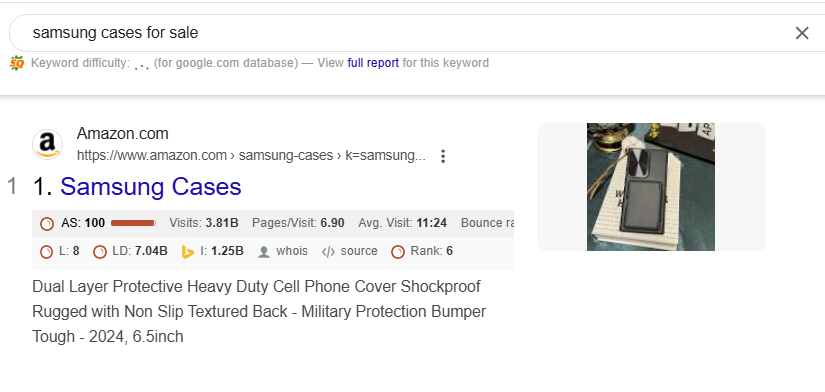
That’s because Amazon has hundreds of pages around Samsung’s products, phones, cases, headphones, microwaves, etc.
They have covered the brand almost completely.
You can do that for your competitors, strangely enough as it sounds, by covering a large range of topics around them:
All of these articles are helping me build topical authority around ‘’Asana’’, my direct competitor, which helps me – wait for it – rank for more Asana-related keywords!
This allows my client in the project management niche to rank on page 1 for bottom-of-the-funnel keywords relating to Asana.
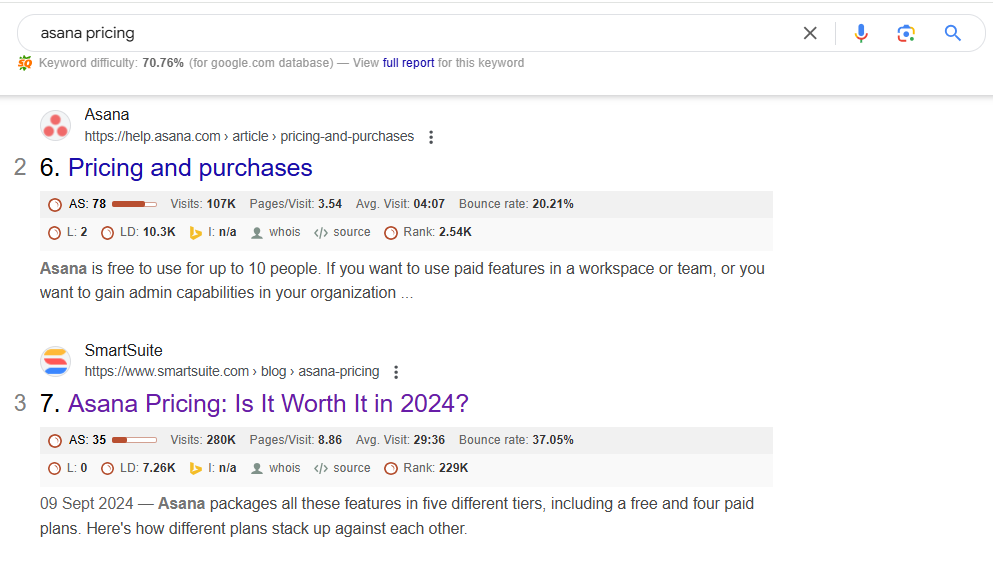
An example of me ranking in position 3 for ‘’Asana Pricing’’, right below Asana’s 2 pages on the topic.
I already covered how you can create quality bottom-of-the-funnel content that ranks.
But one question still remains – how can we convert these visitors?
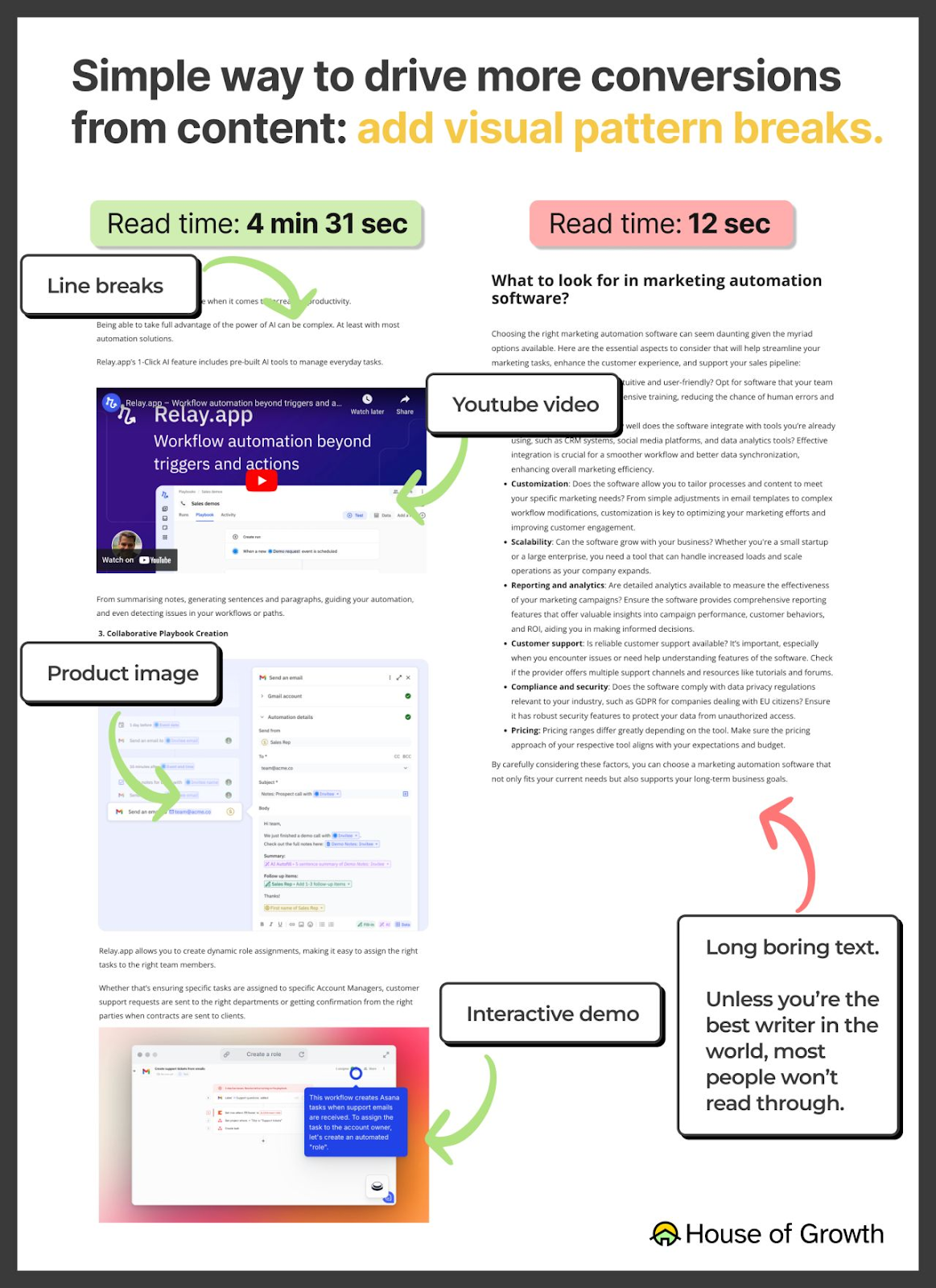
I believe that the best way to convert your visitors is to make your assets as close as possible to your product experience.
Funnily enough, I see so many blogs on the internet that have amazing products but they fail to showcase their solution’s potential in content.
When it comes to product awareness in blogs, there are 4 elements that you can include (best if you include all of them):
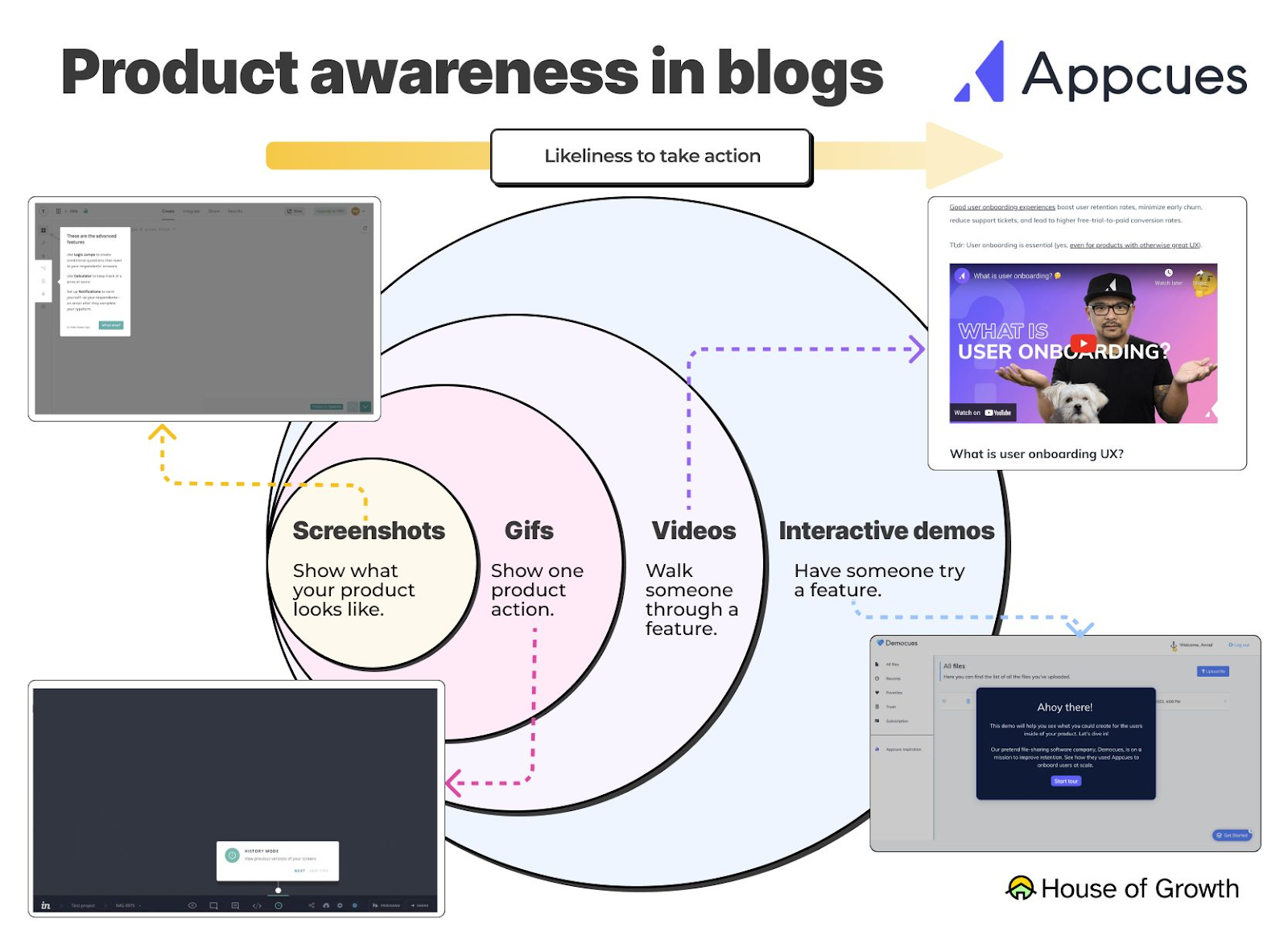
Here are a few other tips for improving your article conversion rates:

I’ve seen so many marketers position their product as the best solution for everyone and every use case and bash the competitor.
This is not going to help you gain the trust of your audience. If your competitor is better for a certain use case, don't be afraid to highlight it in your content.
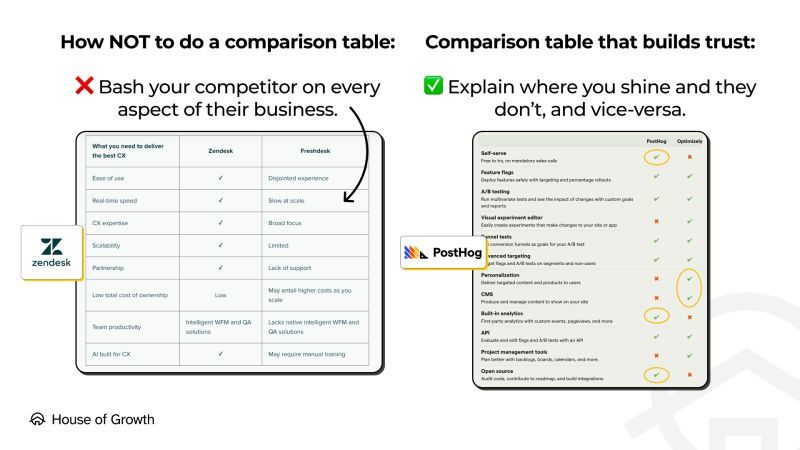
You can do that by adding more:
The last step in my SaaS Growth Quake strategy is to identify and de-anonymize the website visitors who have visited my revenue-focused articles.
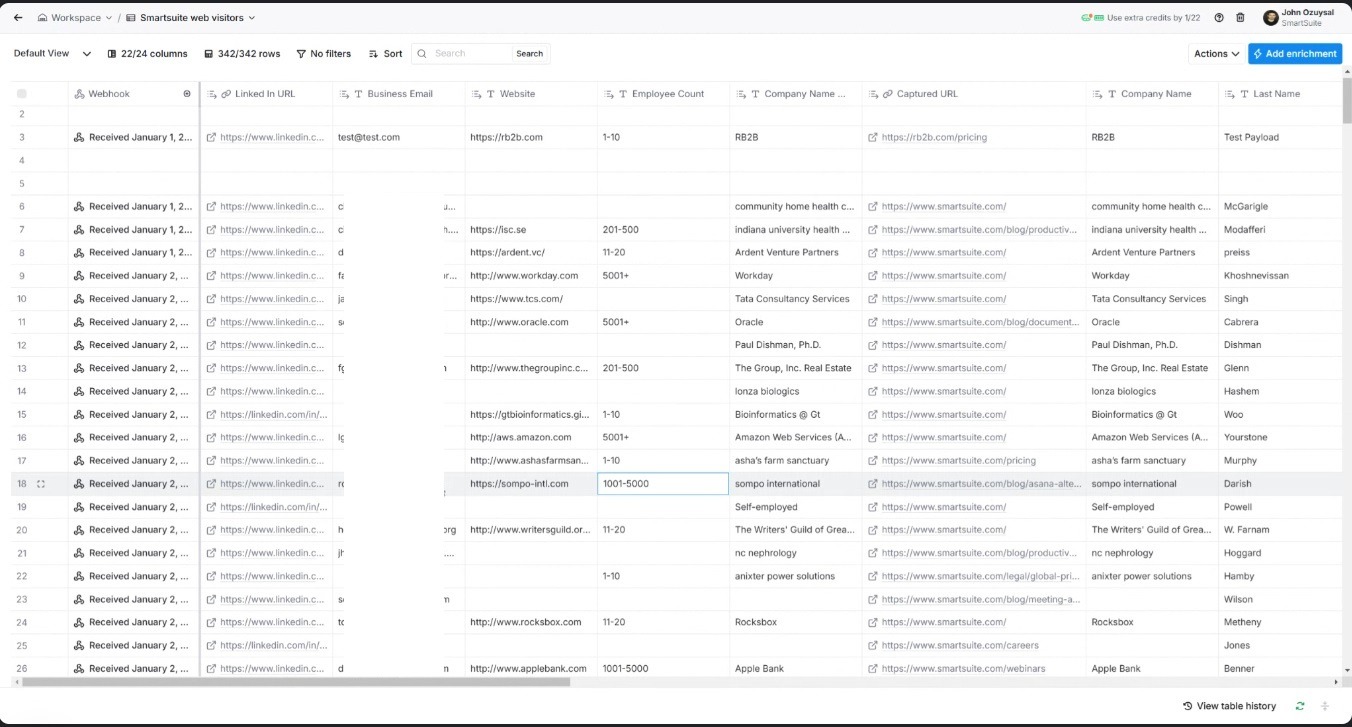
You can do that with visitor identification software like Warmly or RB2B.
For example, I can see that someone from Sompo International, a large enterprise, has been checking out my Asana alternatives article.
I can also see someone from Oracle who has been checking one of my revenue-focused articles – ‘’document management software.’’
They have not converted, but the platform has found their LinkedIn profiles and emails. Since they fit into our ICP, I’ll reach out to them.
The ‘’reaching out’’ part can also be automated with a platform like Clay that lets you automate outbound to ICP-fit visitors who have already read the articles but have not converted.
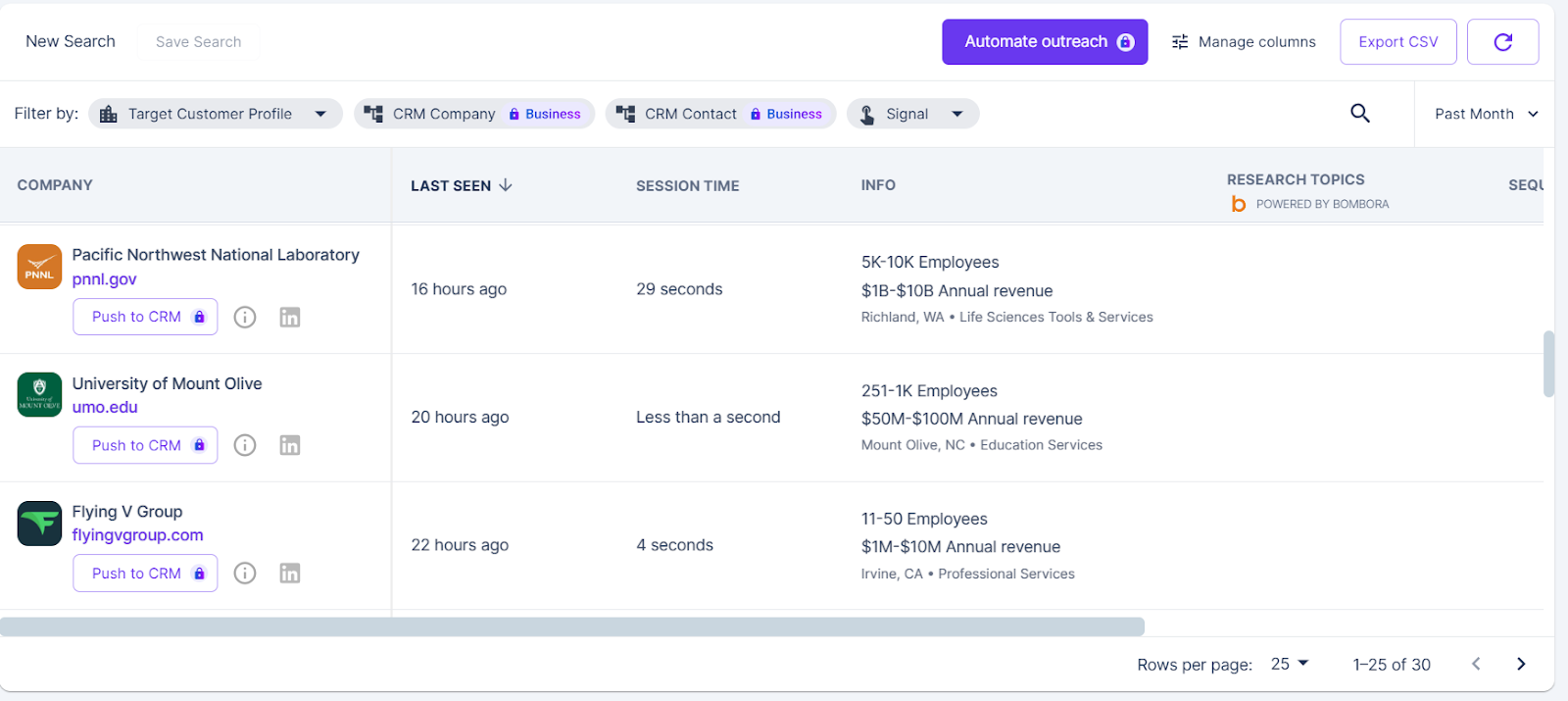
Warmly offers a free plan that lets you reveal up to 500 people and companies on your website every month at no cost – I recommend you try it out and see for yourself.
If you want to scale your B2B SaaS brand with SEO, you need to know what happens before and after SEO.
Maybe the visitors haven’t made up their mind yet or they want to shop around for a solution.
If someone has been on your revenue-focused articles, such as an alternative piece, for more than 30-40 seconds, they are most likely looking for a solution.
This is why you can stay top of mind and try to convert them by reaching out to them.
You might have the most solid SEO strategy but if you do not have your fundamentals right, it’ll be near impossible to convert and retain visitors.
In the previous section, I mentioned what to do after SEO – here we need to discuss what to do before SEO.
The SEO department should not be working in silos. You need to have a great website conveying the right message about your solution.
You also need to have a good onboarding flow so new customers do not feel like they are touring a labyrinth.
Before I start putting out content for my clients, I need to make sure that we:
From there on, I can use this information to work on:

Think of it this way: you’re building the full conversion funnel.
First, the readers find your well-written ‘’Asana alternatives’’ article that showcases your products’ strengths and builds a case on why your solution is the best alternative on the market.
After that, you direct them to your competitor's web page that directly compares you with Asana, going over head-to-head in terms of features, pricing, and integrations.
The readers then proceed to look around on your website, going over features and your pricing page.
Finally – they sign up for the free account.
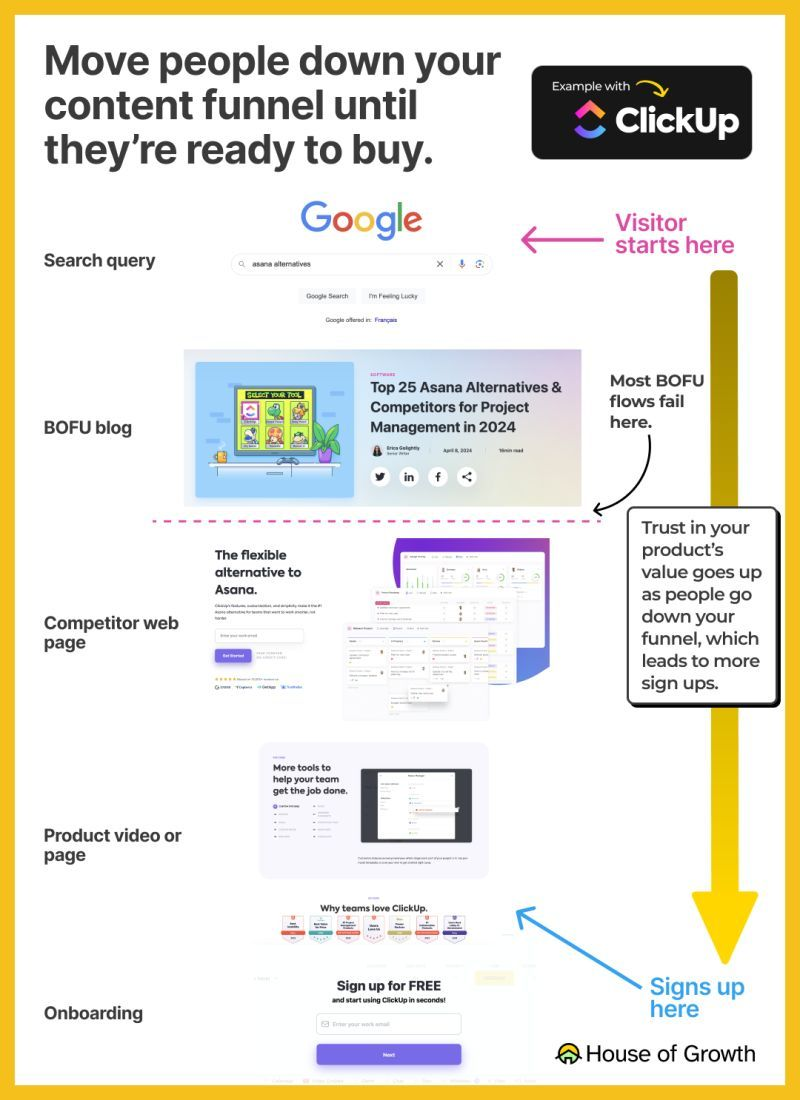
But what happens next? The work is not done, yet.
You need to have a good onboarding experience if you want to retain your new customers – just like you should have a follow-up strategy for high-intent leads that leave your website.
During onboarding, you have to do profiling in your onboarding so that you understand the use case and the goals of your users ASAP.
Imagine that you go into a store and you are welcomed by the shopping assistant.
You tell the assistant that you want to see shoes, and she takes you to the floor with watches first and then bags and then to your destination.
This is not the ideal experience because you wanted to see only shoes right?
Your SaaS onboarding should follow the same logic as well, "take people where they want to go".
As a gift for reading all of this until the end, I’ll do your content strategy at no cost so you can take it home and implement it in your business.
All you have to do is to get back to me on LinkedIn.
Alternatively, I also offer free 30-minute strategy calls where I can help you with implementing the GrowthQuake strategy in your business.
I have founded and grown 2 SaaS businesses myself and I know how hard it was in the beginning to gain traction, so I’m willing to support start-ups and scale-ups that I believe in.
I will help you to: